Reaktion calculates the profit of each order based on product costs, shipping fees, payment fees, return fees, and pick & pack (click here for cost settings and click here to see the calculation for each order). It's very fast and easy to start optimizing your campaigns for profit on Google Ads. Higher order value doesn't necessarily mean higher profits. Profit optimization takes into account the variable costs such as unique product costs, payment fees, shipping, etc.
Note: Before you proceed, please check that you have no remaining tasks here and that Reaktion has been integrated for at least 2 weeks (and ideally has tracked more than 100 conversions on Google).
Here is a video explainer to help you out:
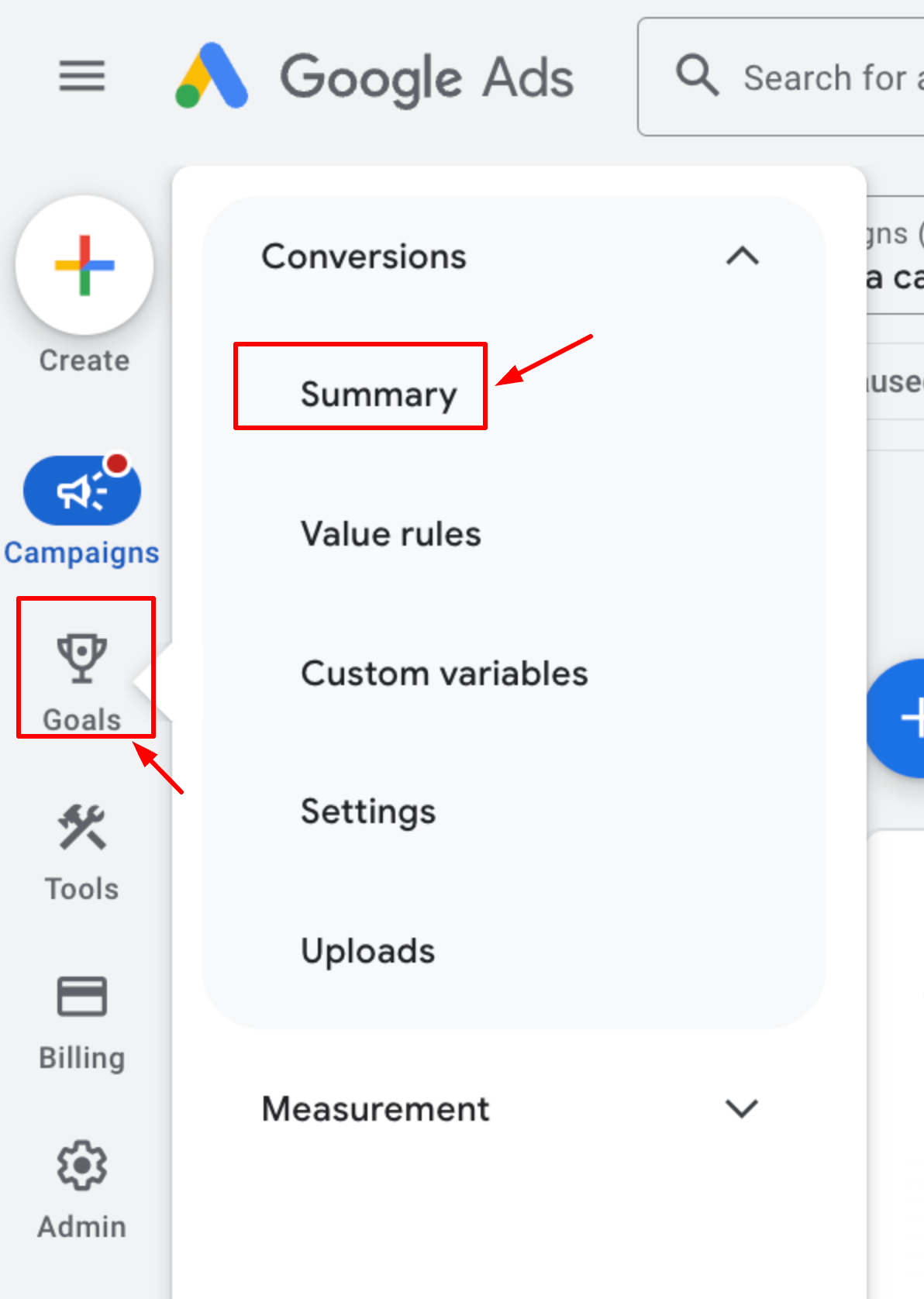
Step 1: Go to your conversion events in Google Ads: https://ads.google.com/aw/conversions
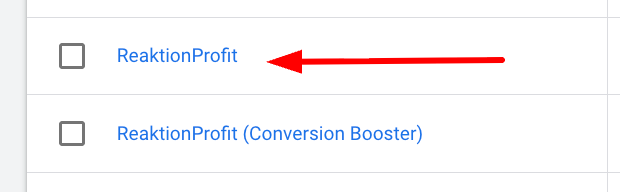
In this overview, you'll find the conversion actions/events: ReaktionProfit and ReaktionProfit (Conversion Booster).
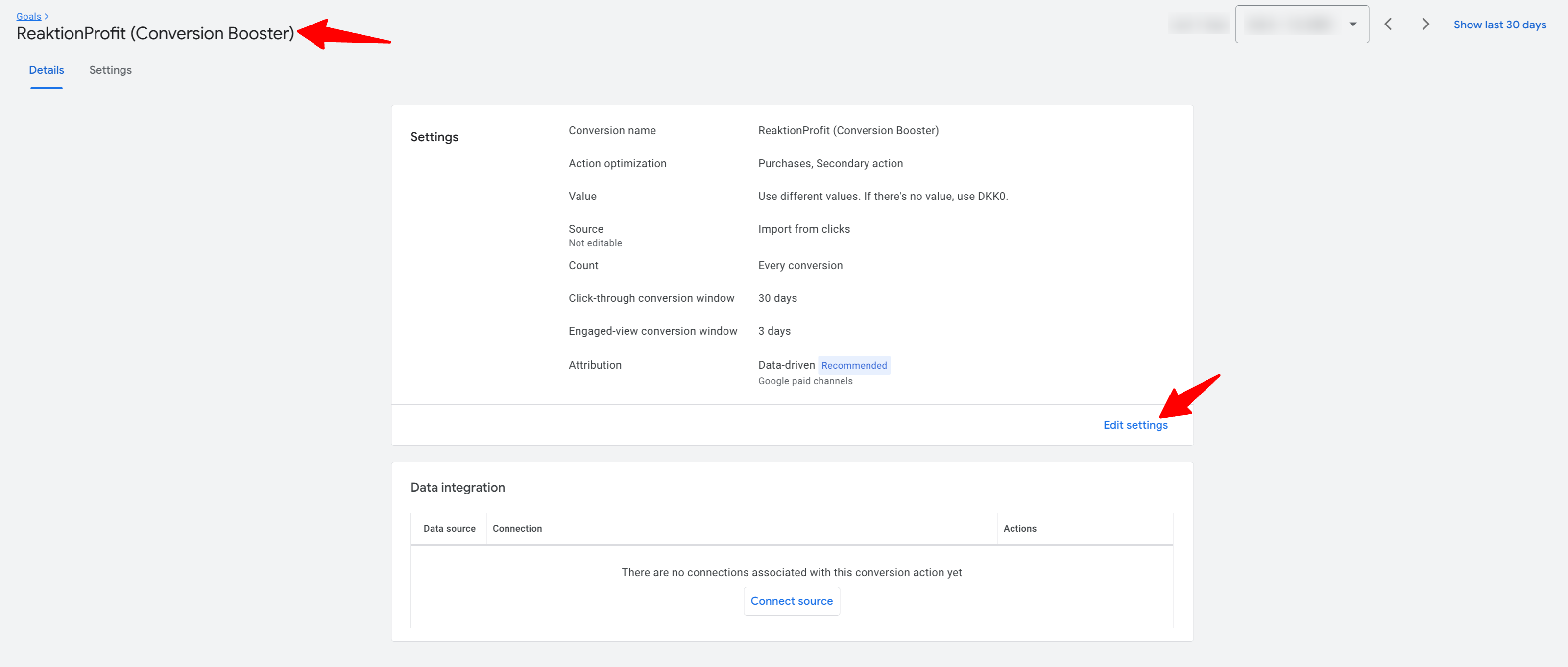
Now, click on ReaktionProfit:
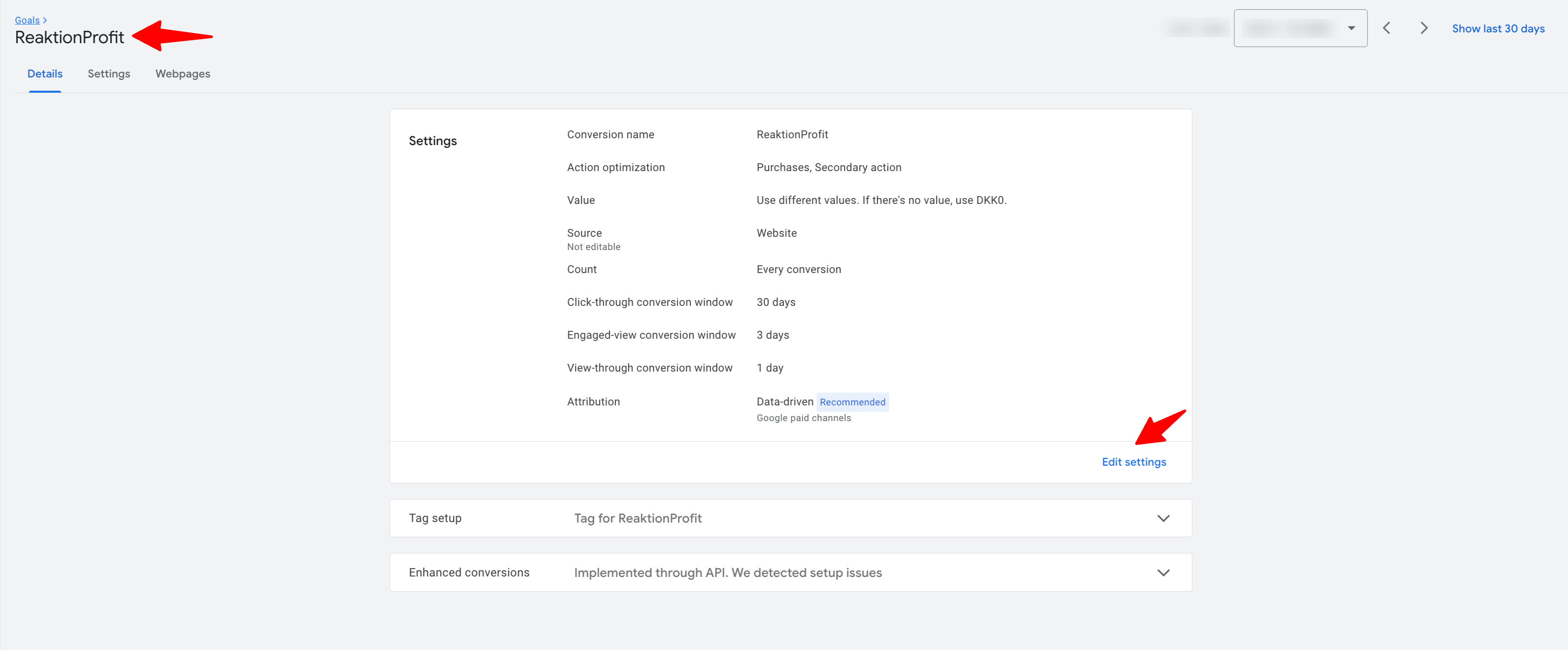
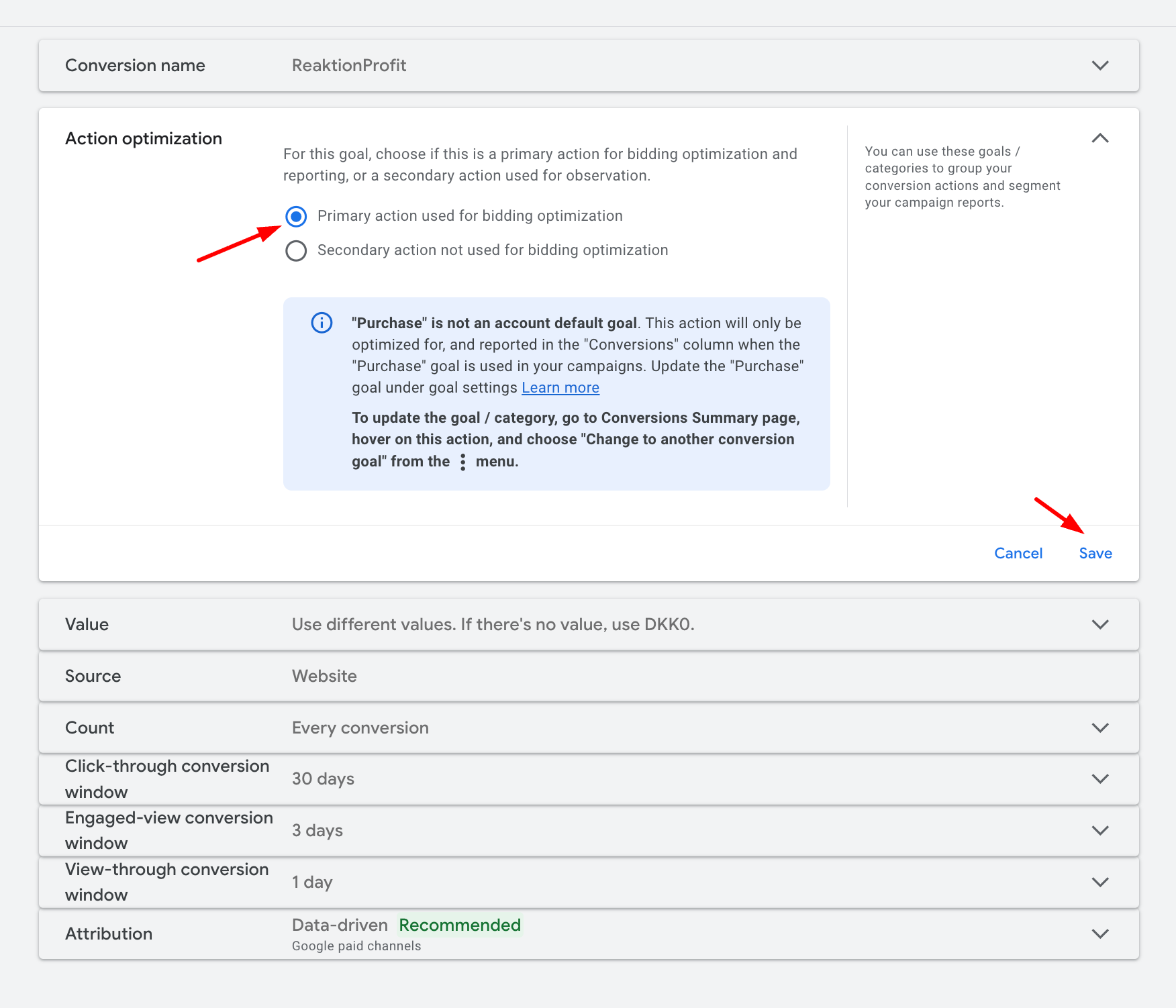
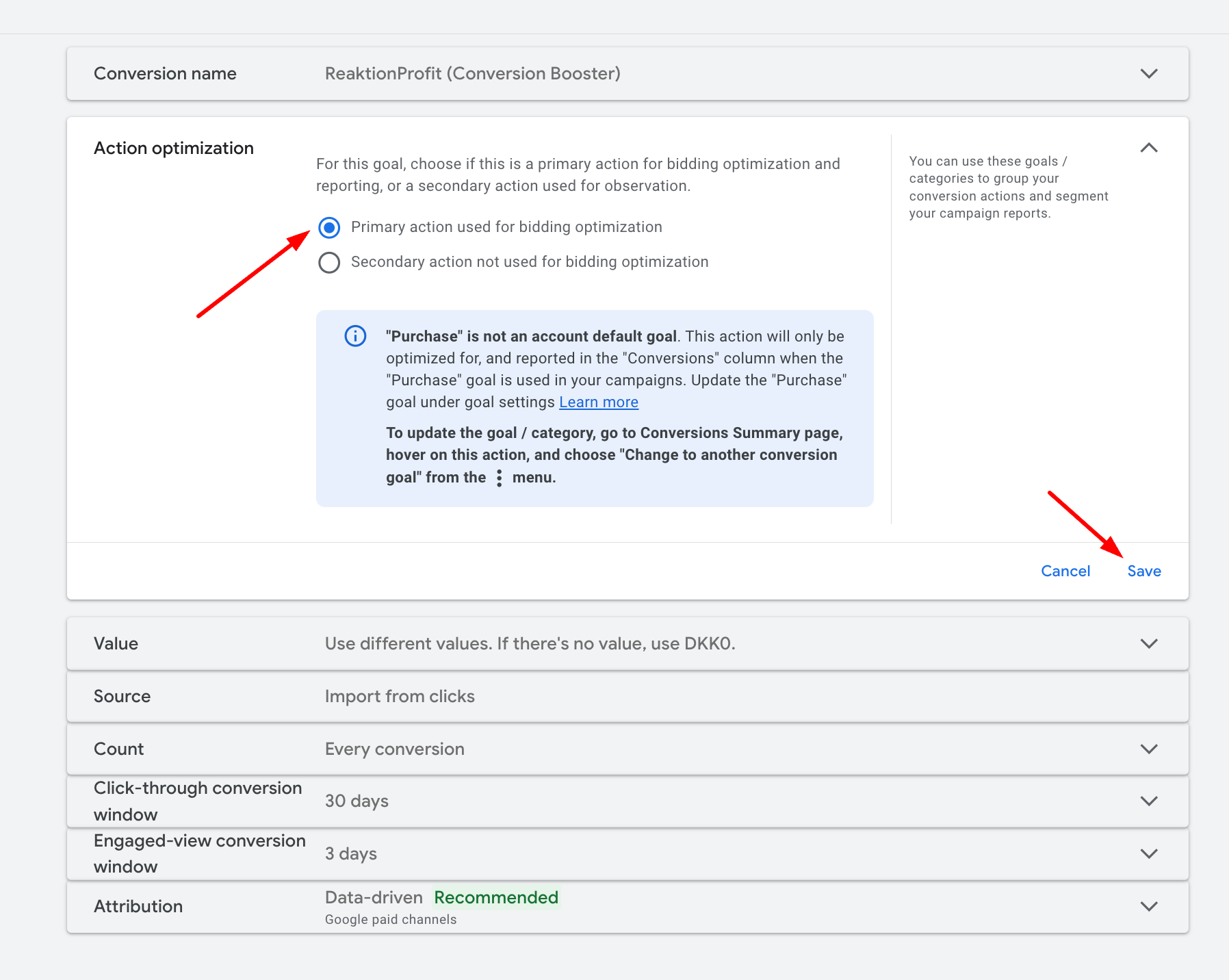
Step 2: To set this event as a "Primary action used for bidding optimization", choose Edit Settings > Expand the Action Optimization on the next page > Choose: Primary action used for bidding optimization > Remember to click "Save"
Step 3: Set "ReaktionProfit (Conversion Booster)" as Primary
Repeat the procedure listed above, but now with the conversion action named "ReaktionProfit (Conversion Booster)"

Choose Edit Settings > Expand the Action Optimization on the next page > Choose: Primary action used for bidding optimization > Remember to click "Save"
Step 4: If you currently have other conversion events set as primary, please change them to secondary.
Now your conversion action overview should look like this:
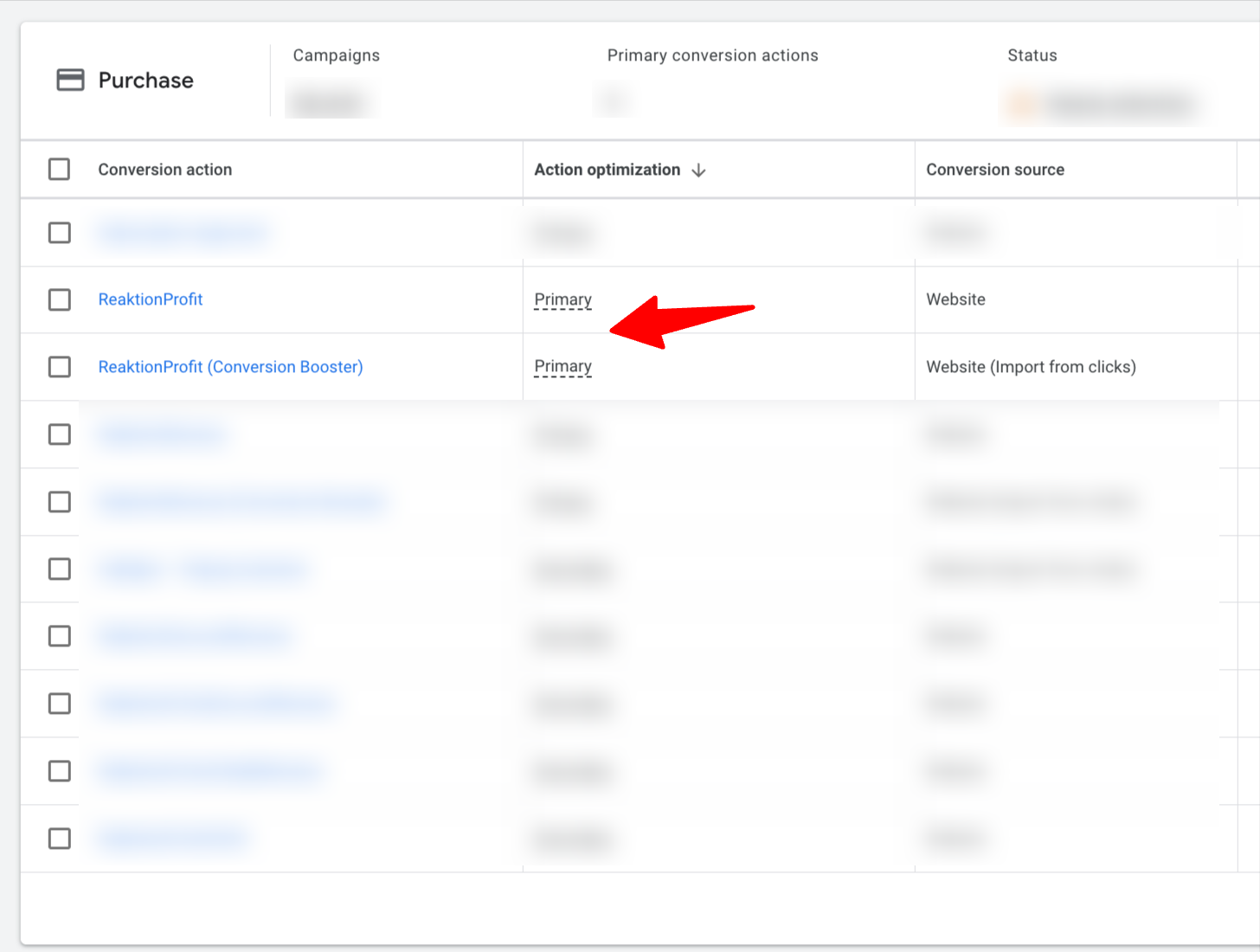
That's it! By setting these conversion actions as the primary events, you are asking the Google Ads algorithm to optimize for profit based on Reaktion server-side tracking!
If you have noticed that Reaktion Offline tracking performs better - the ReaktionOfflineProfit event tracks more conversions and conversion value than ReaktionProfit + ReaktionProfit (conversion booster) combined - you can also use this event as your primary conversion action.
When using ReaktionOfflineProfit as the Primary action, please ensure you set ReaktionProfit and ReaktionProf (conversion booster) as secondary actions.
Was this article helpful?
That’s Great!
Thank you for your feedback
Sorry! We couldn't be helpful
Thank you for your feedback
Feedback sent
We appreciate your effort and will try to fix the article