You can add and track a lot of insightful server-side metrics in your TikTok Ads reporting on campaign, ad set, and ad level:
- Gross profit on ad spend (POAS)
- Gross Profit
- ROAS
- Revenue
- Orders
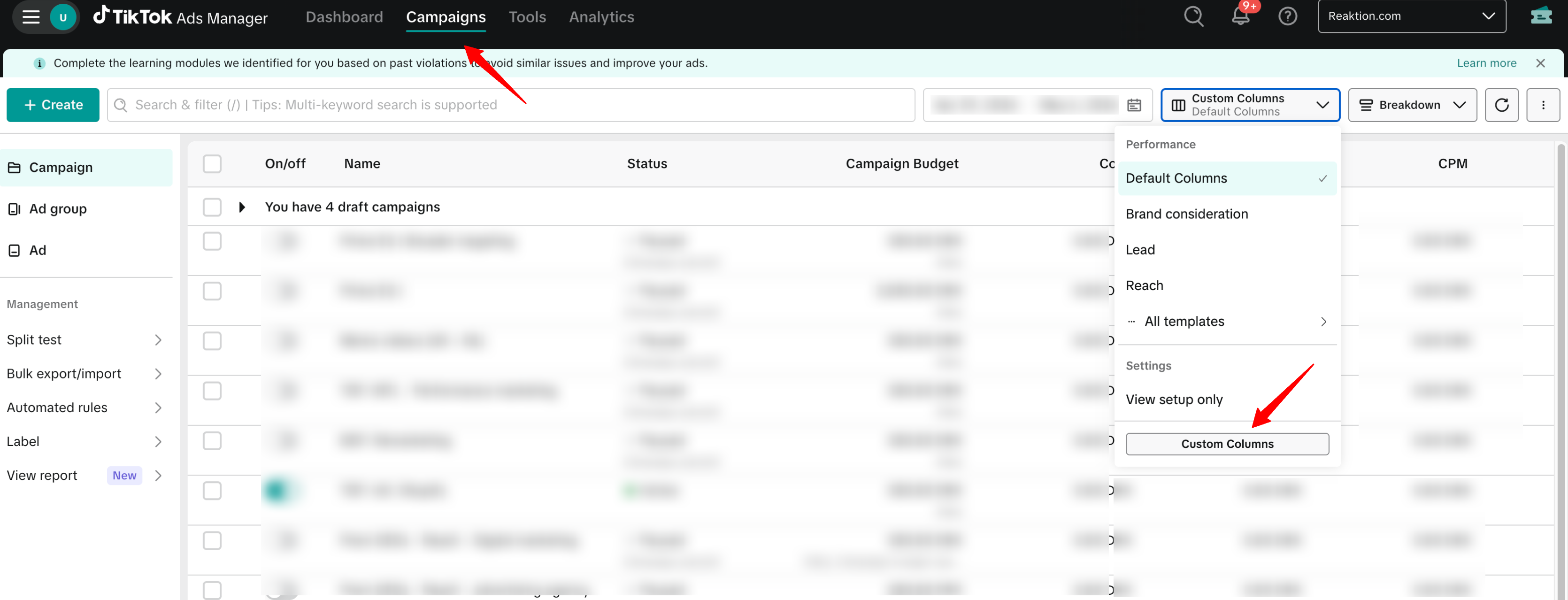
Go to Campaigns → Custom Columns → Add custom metric
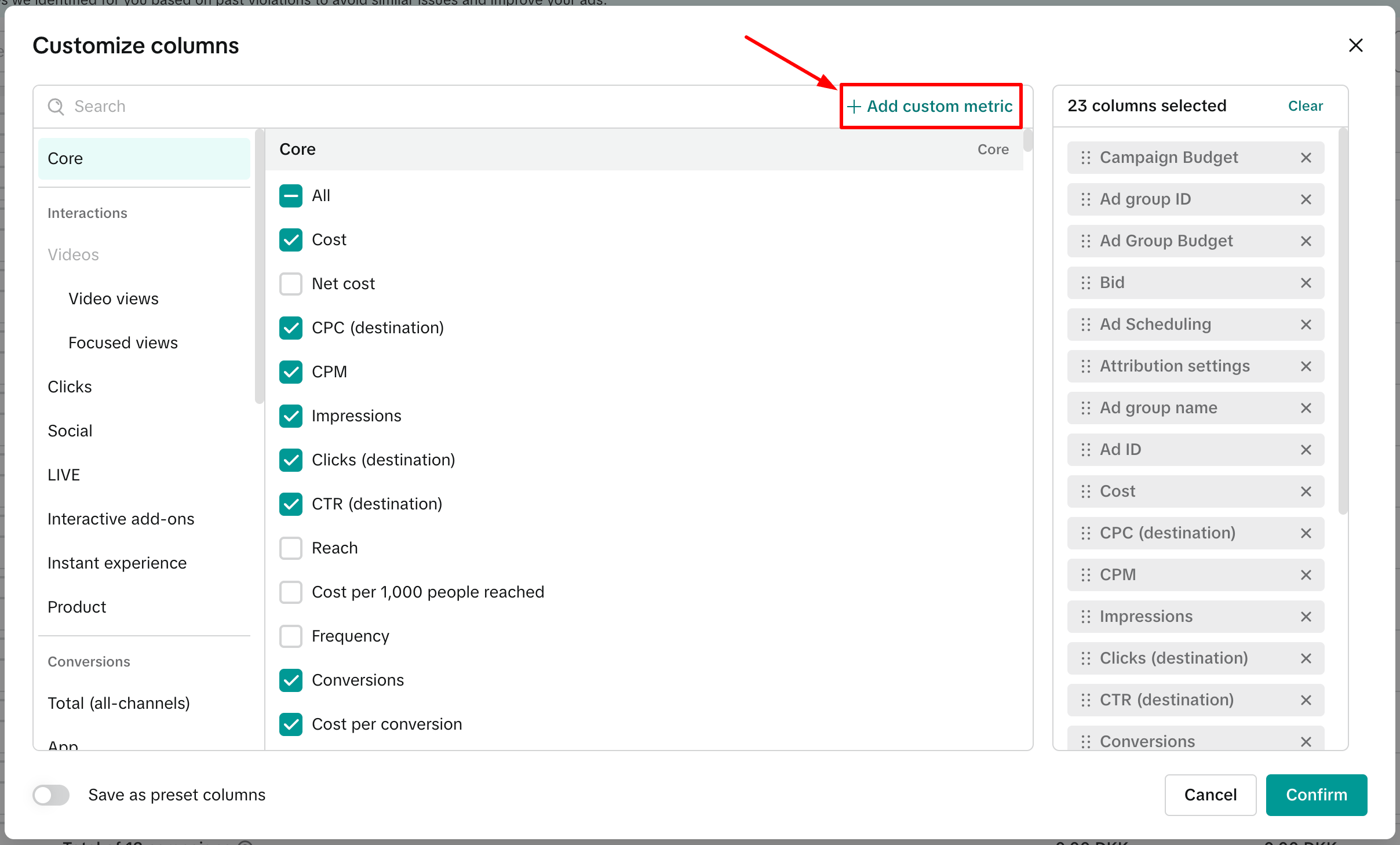
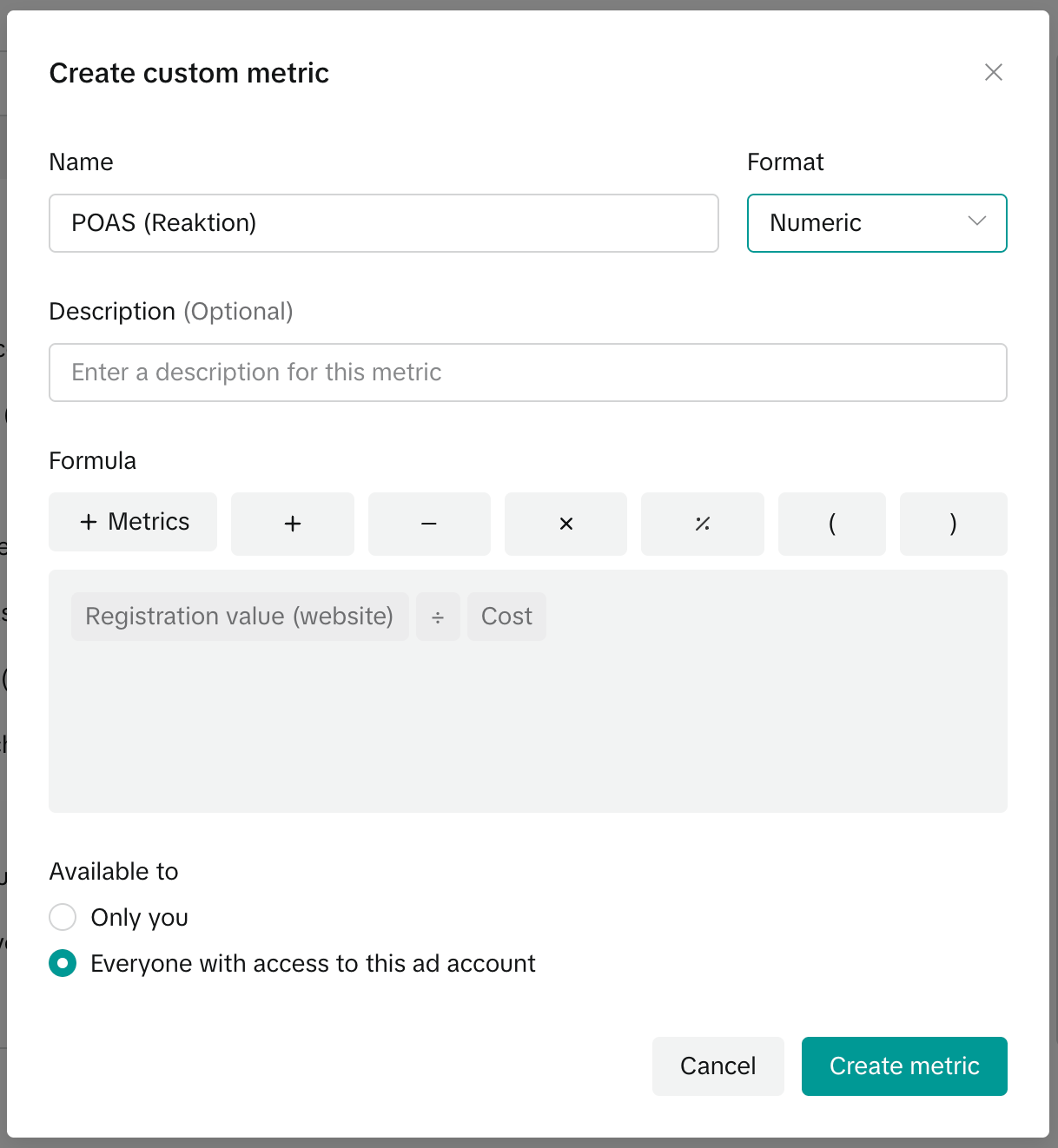
Name the metric → Add Formula for the Metric → Create Metric
- Gross profit on ad spend (POAS): Registration value (website) ÷ Cost
- Gross Profit: Registration value (website)
- Revenue: Form submission value (website)
- ROAS: Form submission value (website) ÷ Cost
- Orders: Form submission (website)
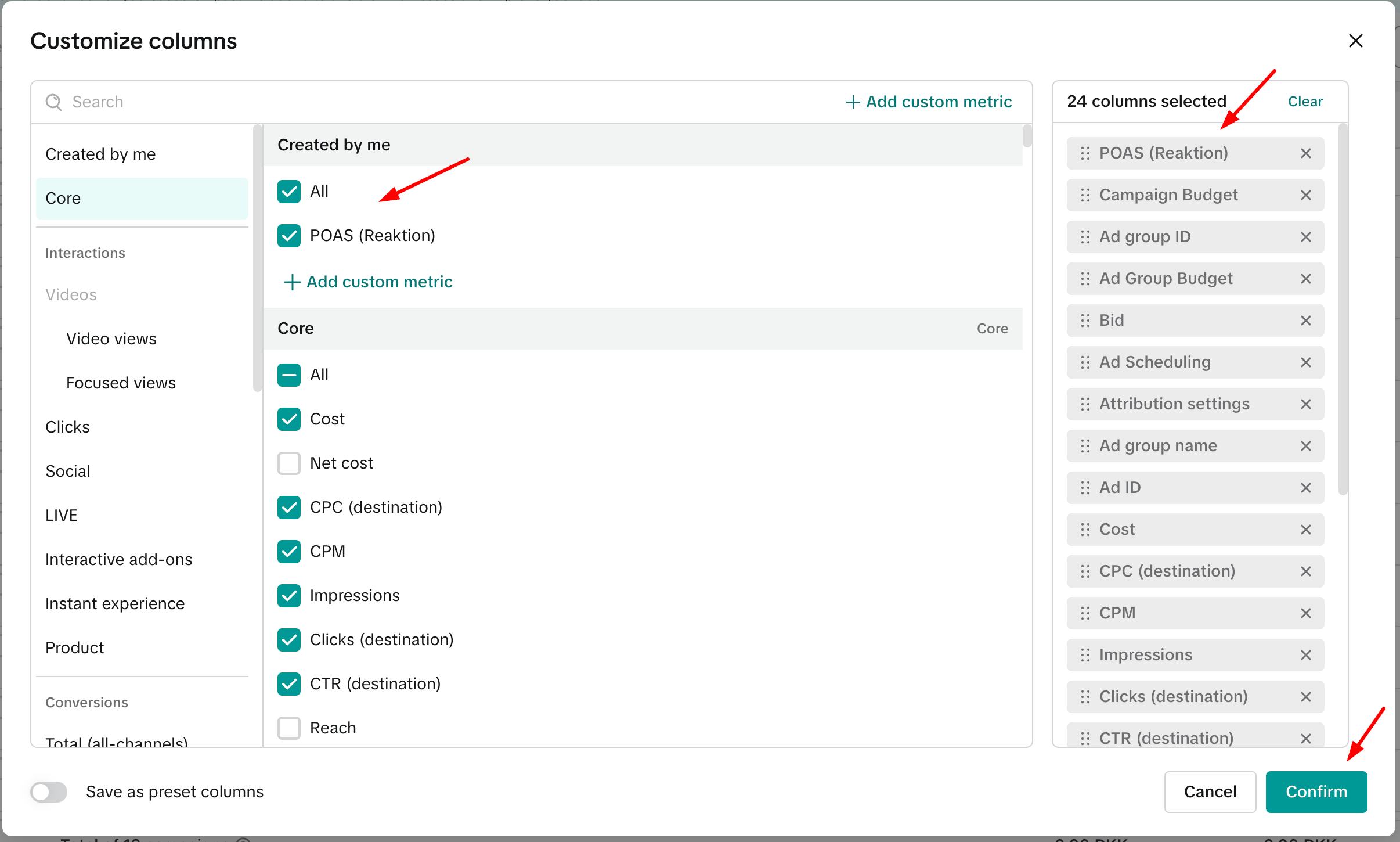
Once created, select the metrics you’ve added and confirm to include them in your Performance Dashboard.
Was this article helpful?
That’s Great!
Thank you for your feedback
Sorry! We couldn't be helpful
Thank you for your feedback
Feedback sent
We appreciate your effort and will try to fix the article