As you might know, you can build completely custom reports from scratch using our Custom Reports module.
However, if you only want to add, edit, or remove a few metrics from one of our standard (out-of-the-box) reports, that's just as easy.
Example: Top Campaigns Report
Take our popular Top Campaigns Report as an example:
https://advertiser.reaktion.com/reports/paid/campaigns
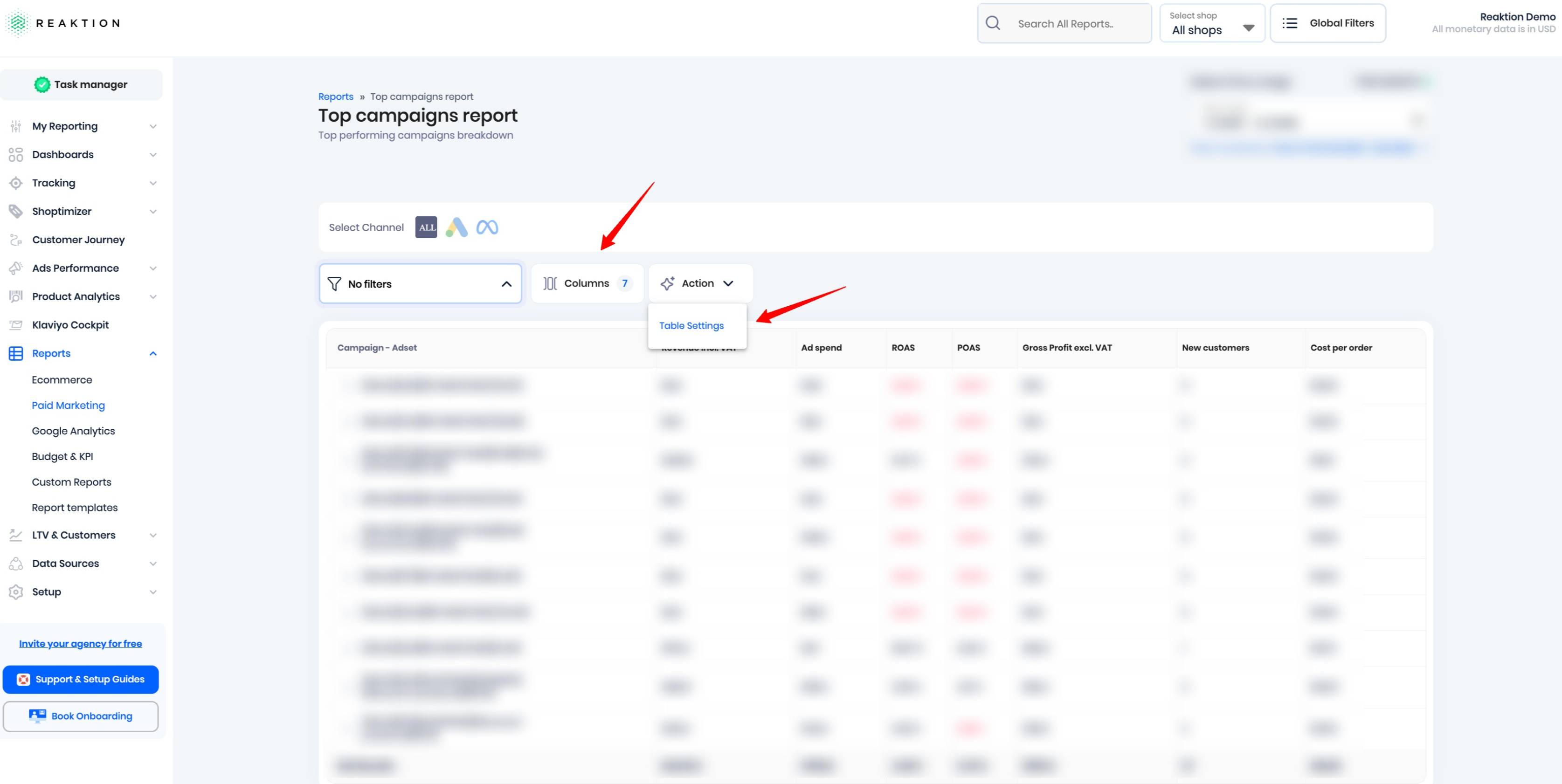
If you'd like to customize this report, simply click Columns. From there, you can easily add the metrics you want to see or remove the ones you don't need.
Need to customize the table further? Open Table Settings to configure options such as:
- Split columns
- Filters
- And other table settings to tailor the report to your needs
This allows you to quickly personalize any standard report without having to build a new one from scratch.
Was this article helpful?
That’s Great!
Thank you for your feedback
Sorry! We couldn't be helpful
Thank you for your feedback
Feedback sent
We appreciate your effort and will try to fix the article