Reaktion enables precise customer segmentation of any store based on:
- Profitability
- Revenue
- Days since last purchase
- Shopify RFM
You're able to define a segment of customers using the above criteria and then automatically synchronise customer data with one of your Meta Ads audiences, including Lookalike audiences or targeted remarketing audiences. Data synchronization occurs once every 24 hours.
You can also export encrypted customer data into a CSV file that will be specifically formatted to be used as an audience in Google Ads or Snapchat Ads.
To access this feature, navigate to LTV & Customers → Custom Audiences or click the link below:
https://advertiser.reaktion.com/customers/segmentation
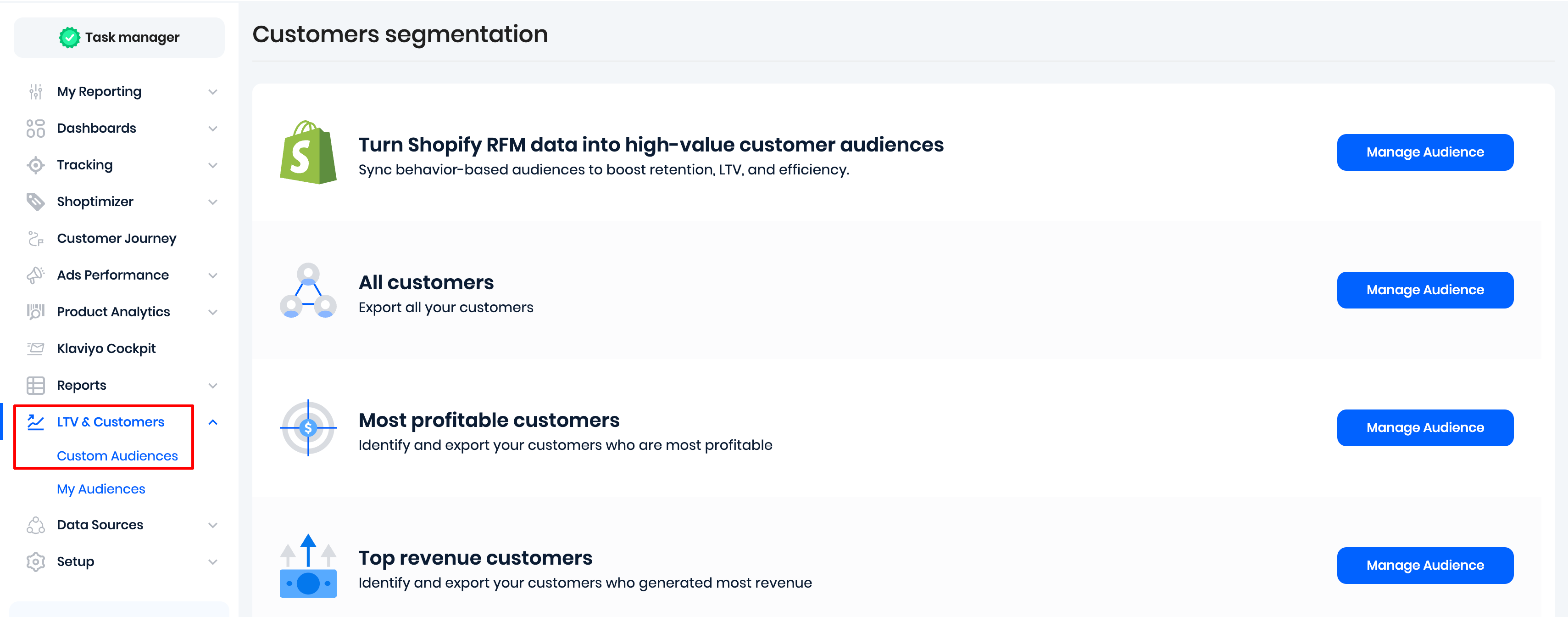
From this page, you can select the criteria used for segmentation from the three options: All customers, Most profitable customers, and Top revenue customers. We recommend the Most profitable customers.
Next, you can select:
- a specific shop or market from which we should pull customer data (recommended)
- days since last purchase - any number from 0 to 150, or slide all the way to the right to select All
- an exact percentage of customers that should be included in the audience.
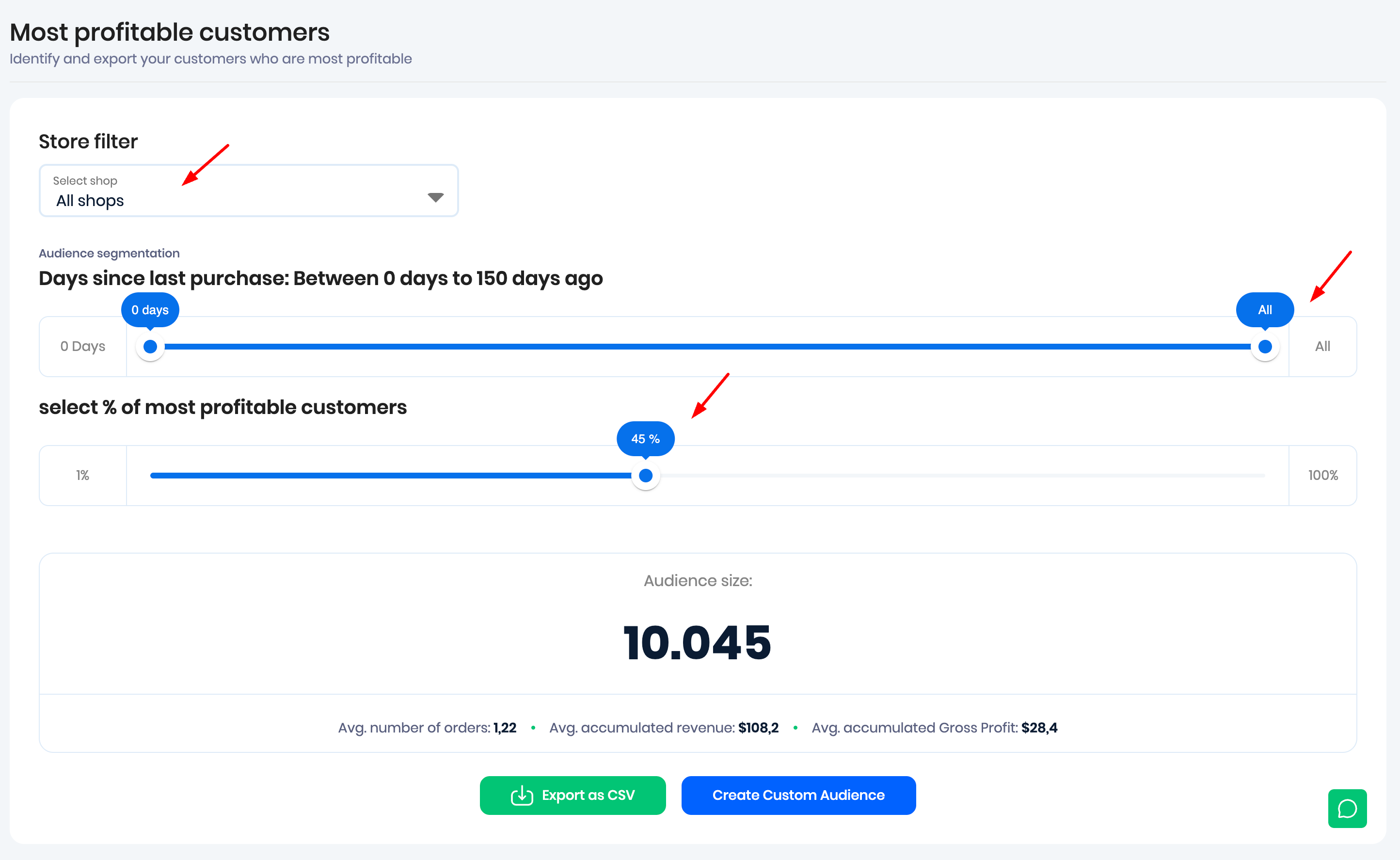
In the example above, we selected days since last purchase "All", which means that this metric will not limit the audience size - customers will be included regardless of when they made their last order.
We also selected 45%, which means that only the top 45% of customers that generated the most gross profit for the store will be included.
As you adjust the parameters of the segment, you will see:
- An estimated lookalike audience size
- average number of orders made by the customers included in the audience
- average accumulated revenue from all orders made by the customers
- and their average accumulated gross profit
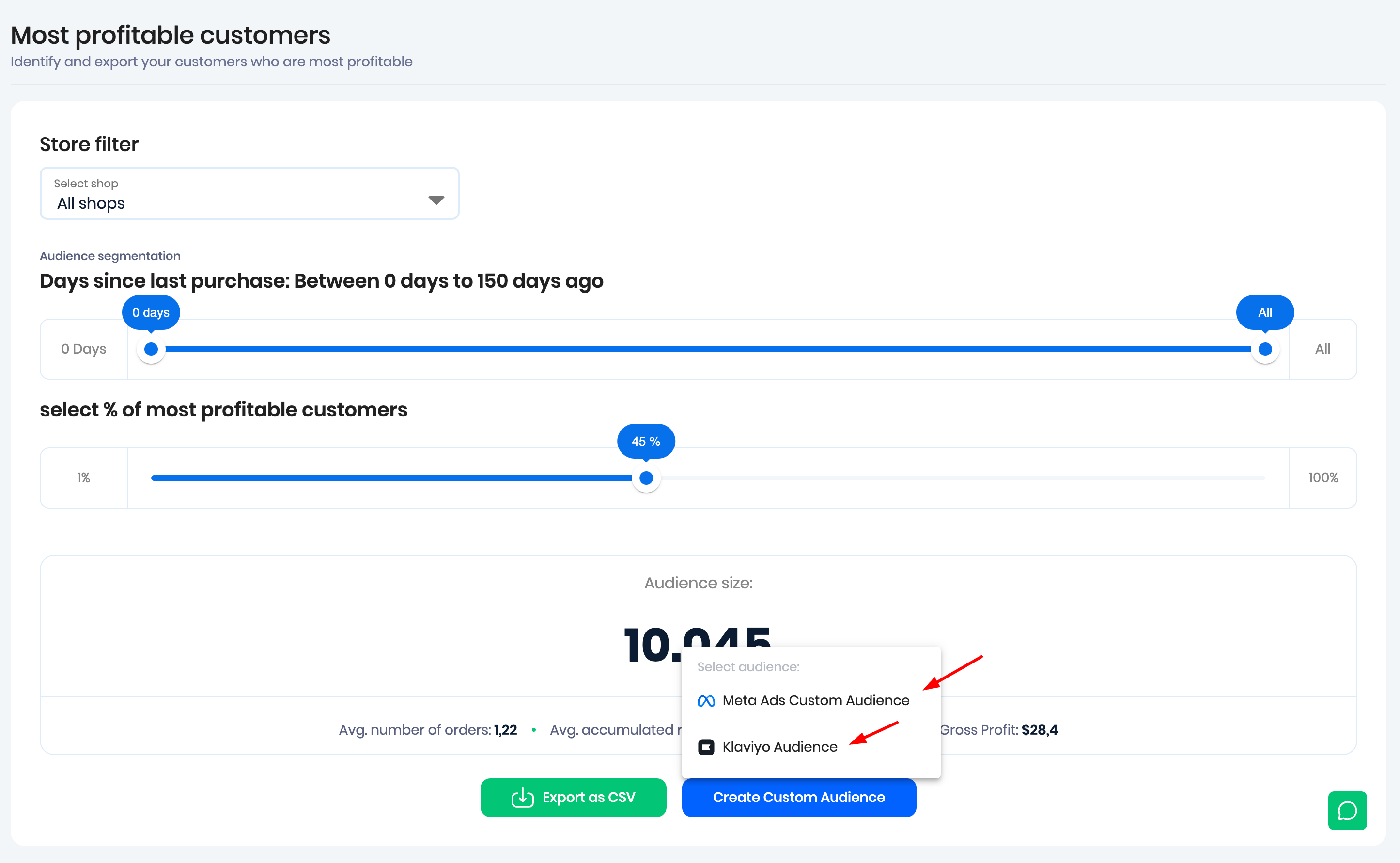
Next, you can either:
- Export a CSV file with the encrypted customer data, ready to be imported into Meta Ads, Google Ads, or Snapchat Ads to create an audience
- or Create Custom Audience for Meta Ads and Klaviyo
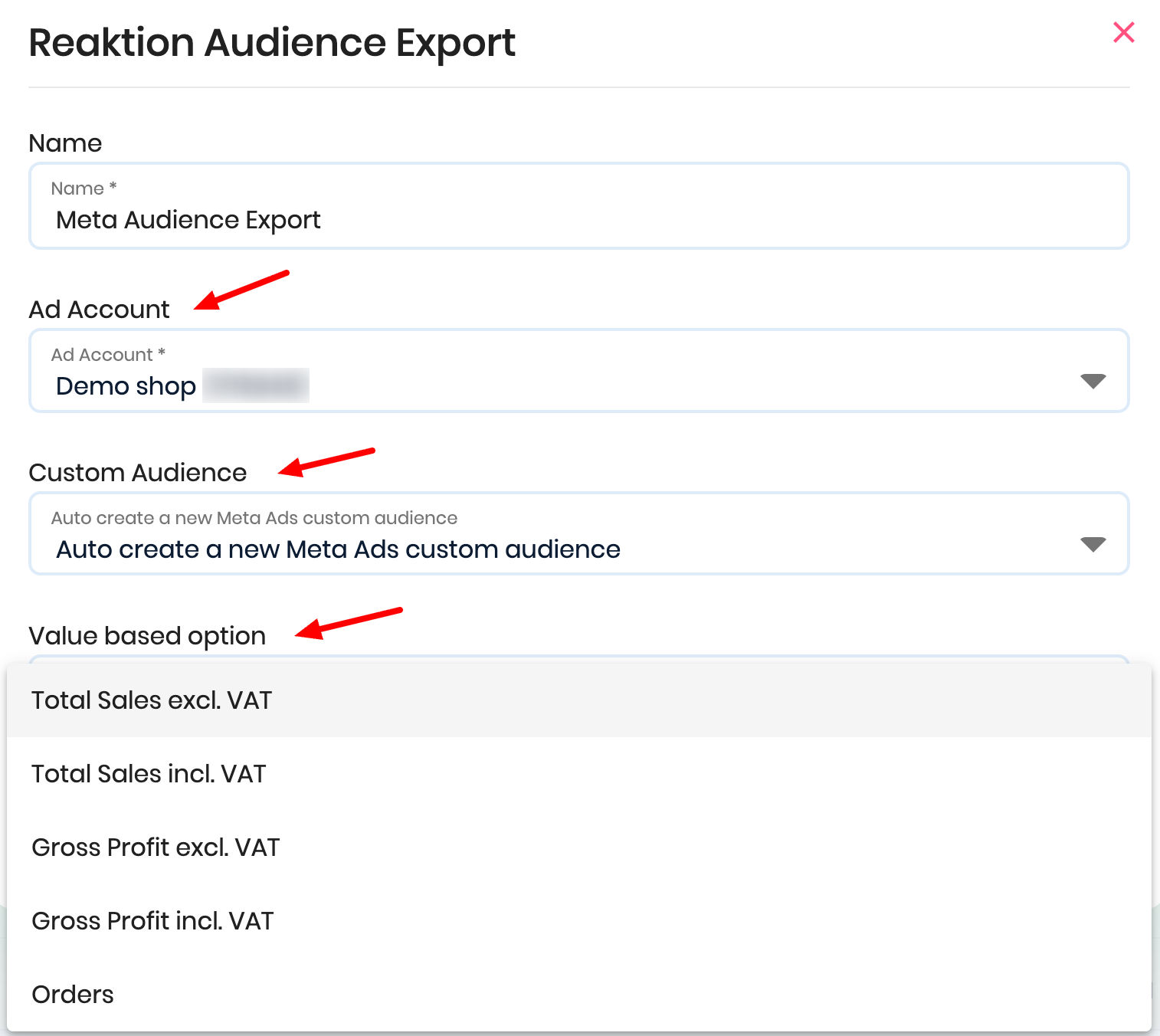
If you choose to sync the audience with Meta Ads, you will be asked to select an ad account. Next, select the 'Auto create a new Meta Ads custom audience' option, because we recommend creating a new audience. Lastly, you can select a metric under the 'Value based option':
Click on 'Save Custom audience' and allow up to 24 hours for full audience synchronisation.
To view all the created Custom Audiences, please navigate to the 'My Audiences' section:
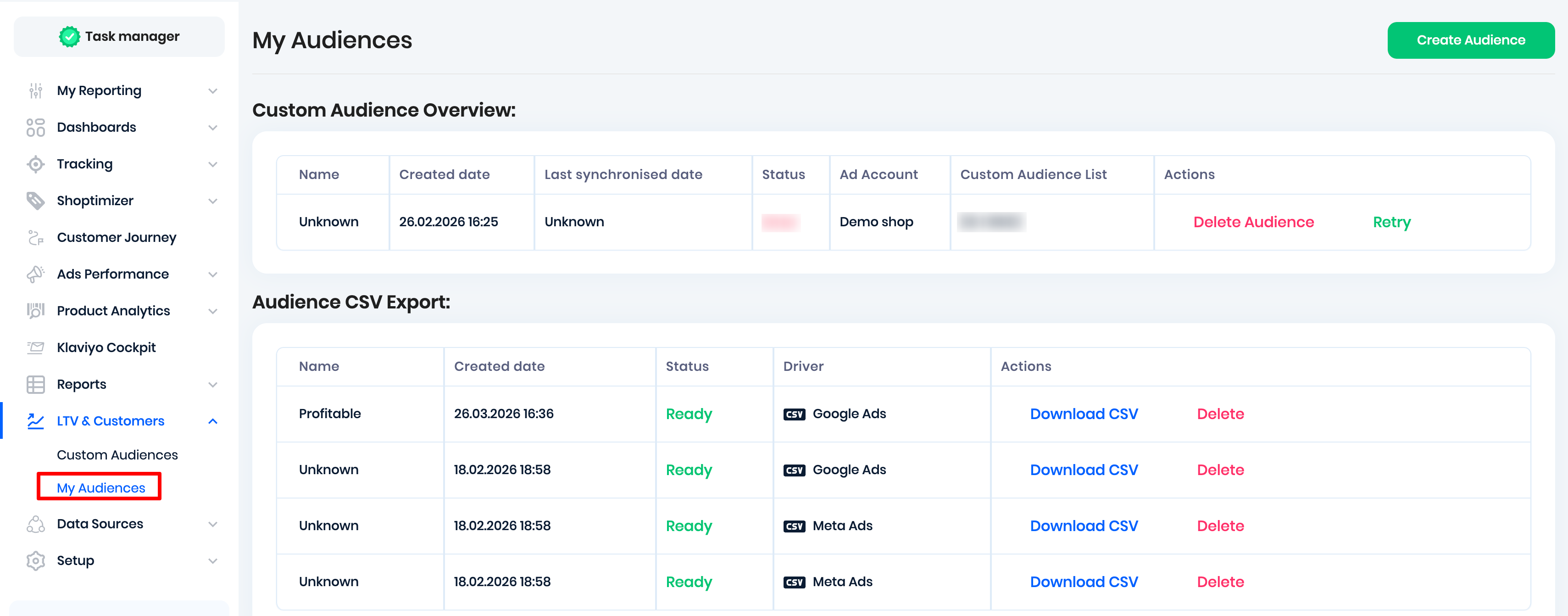
Note: The synced Meta Ads audiences are dynamic. This means that we perform daily checks to ensure customers meet the audience criteria and automatically add or remove customers based on the latest data.
Turn Shopify RFM into Custom Audiences:
We also support turning your Shopify RFM data into high-value customer audiences.
RFM = Recency, Frequency, Monetary value
It’s a customer segmentation method used to understand who your best customers are and how likely they are to buy again. It helps you send the right marketing to the right customers:
Examples:
Champions - VIP offers, loyalty programs
At risk - win-back emails
New customers - onboarding flows
One-time buyers - second-purchase discounts
Instead of blasting everyone with the same campaign, you market smarter. In Reaktion, you can turn Shopify RFM data into automatically synced audiences for Meta Ads and Klaviyo, Navigate to LTV & Customers > Custom Audiences:
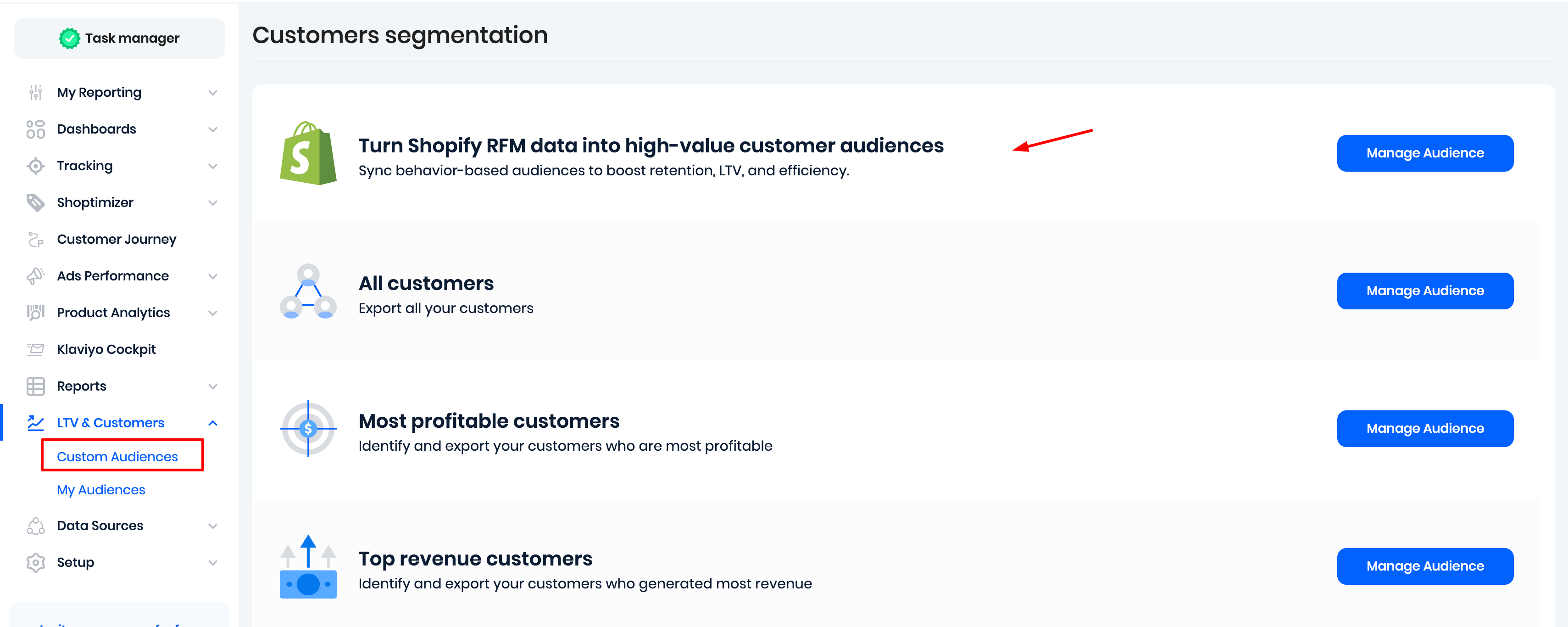
Click on 'Manage Audience'. If you run a multi-store setup, select your desired store/market and select one or more RFM segments:
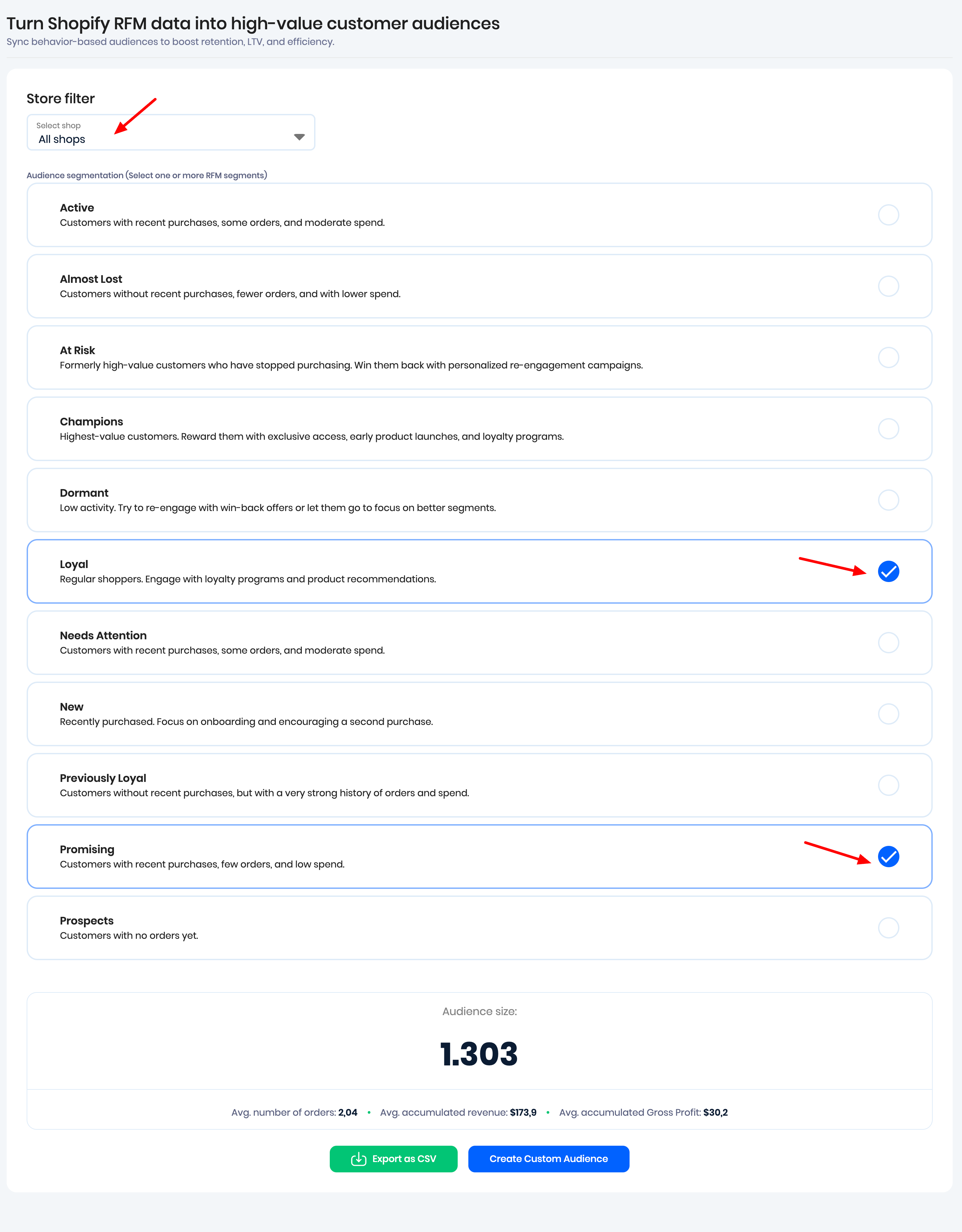
Next, you can either:
- Export a CSV file with the encrypted customer data, ready to be imported into Meta Ads, Google Ads, or Snapchat Ads to create an audience
- or Create Custom Audience for Meta Ads and Klaviyo
Once the audience is created, we sync the data once daily.
Was this article helpful?
That’s Great!
Thank you for your feedback
Sorry! We couldn't be helpful
Thank you for your feedback
Feedback sent
We appreciate your effort and will try to fix the article