Our Product Identity Matching Explained:
Our product identity matching works at the Barcode ID (GTIN/UPC/EAN) level by default.
- Each product variant must have its own unique barcode.
- If two different products share the same barcode, they will be treated as the same item in our system.
- Wrongly shared barcodes will distort product-level reporting.
How to correct a wrong barcode:
If a barcode is wrong, you can correct it in your e-commerce platform; the change will be automatically updated in Reaktion during the next product synchronization.
We also support matching products based on SKU (Account-wide setting)
Check how products are matched:
To check how the product variants are currently matched at a product level, navigate to:
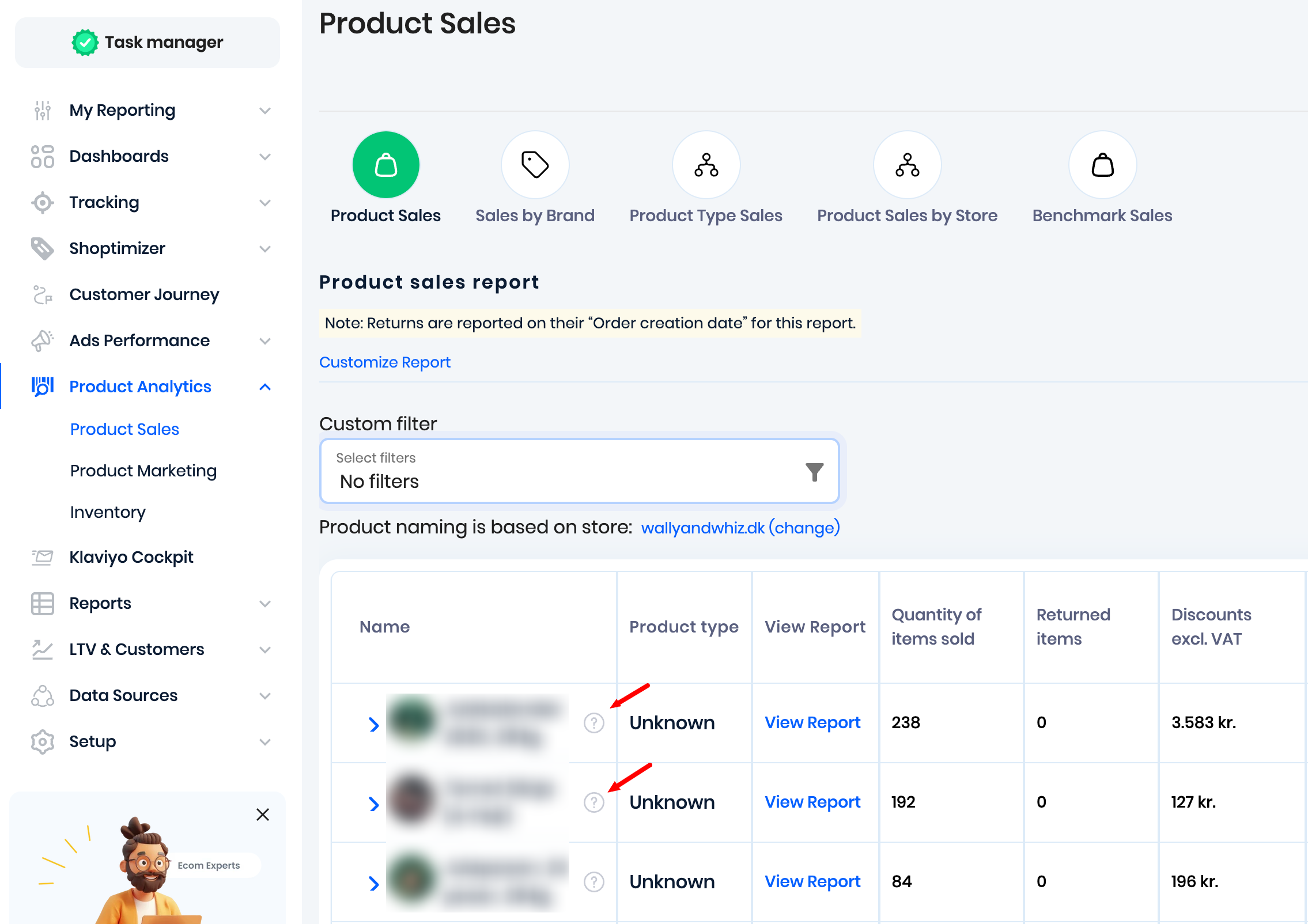
Product Analytics → Product Sales. Click on the 'question mark' symbol next to the products:
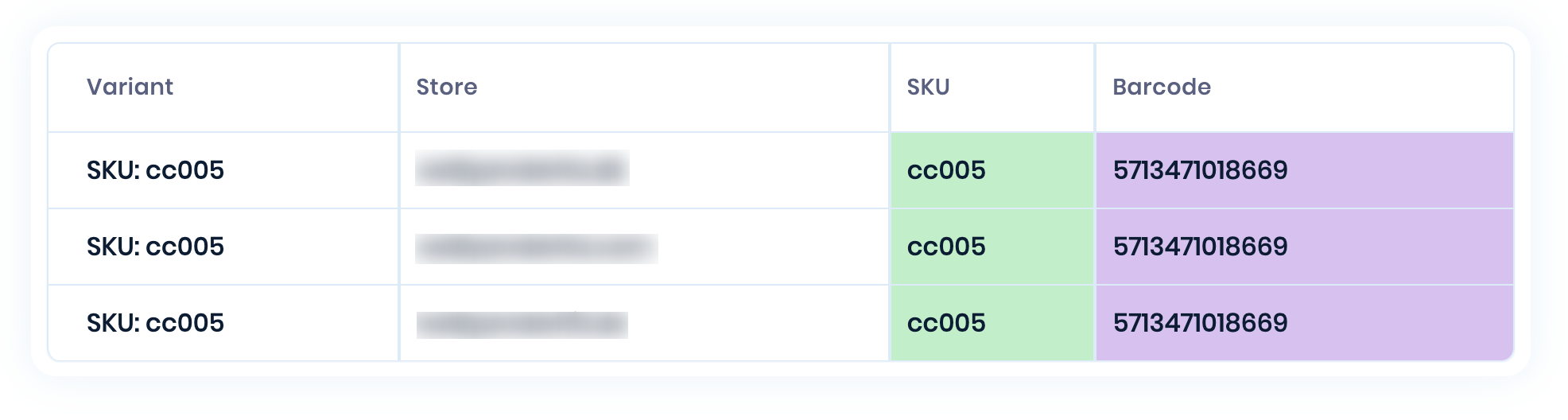
Now, you can see how the matching is done for the product variants:
Selecting Matching Method:
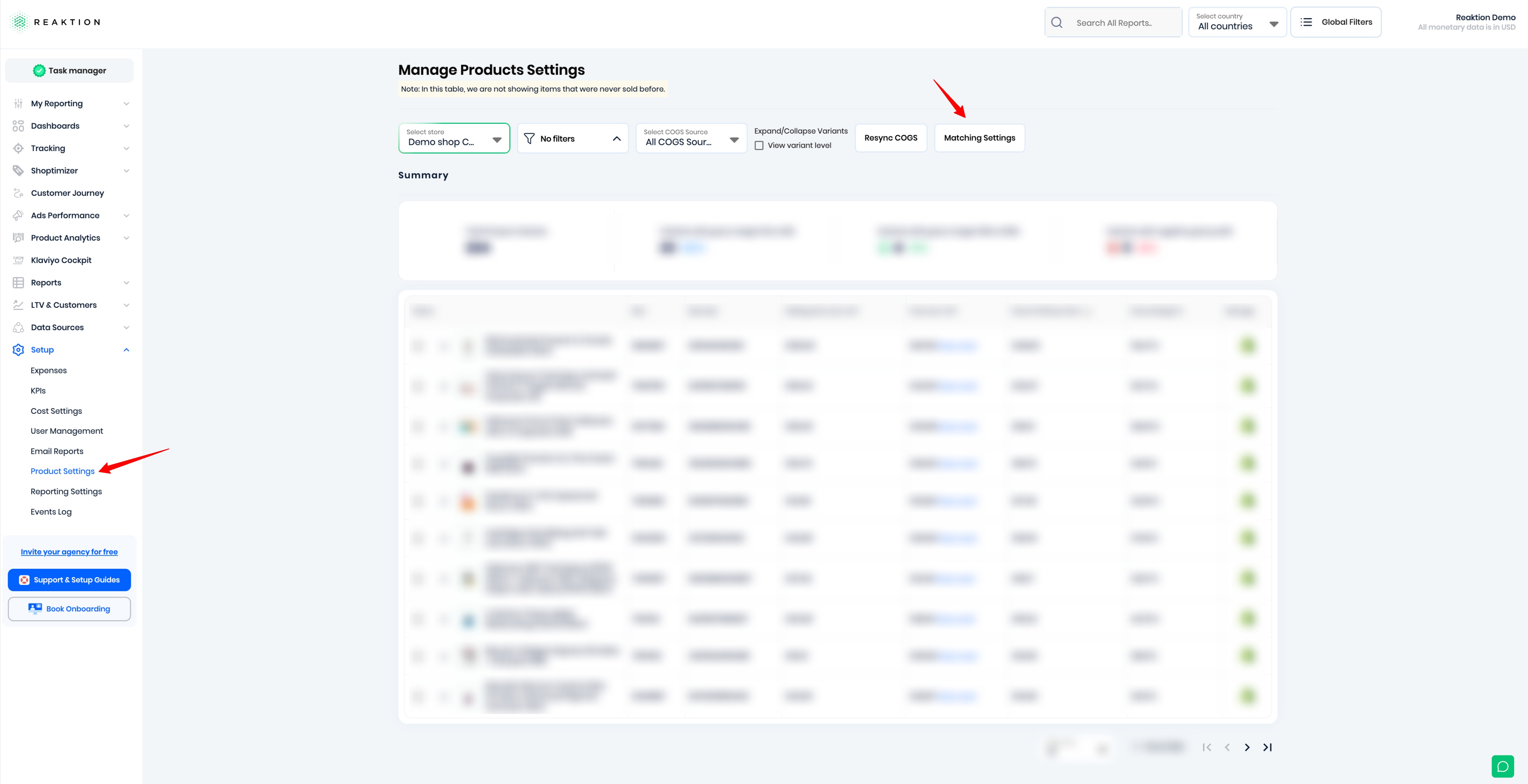
To select your preferred product matching method, navigate to:
Setup → Product Settings → Matching Settings
Then select your preferred Product Matching Method: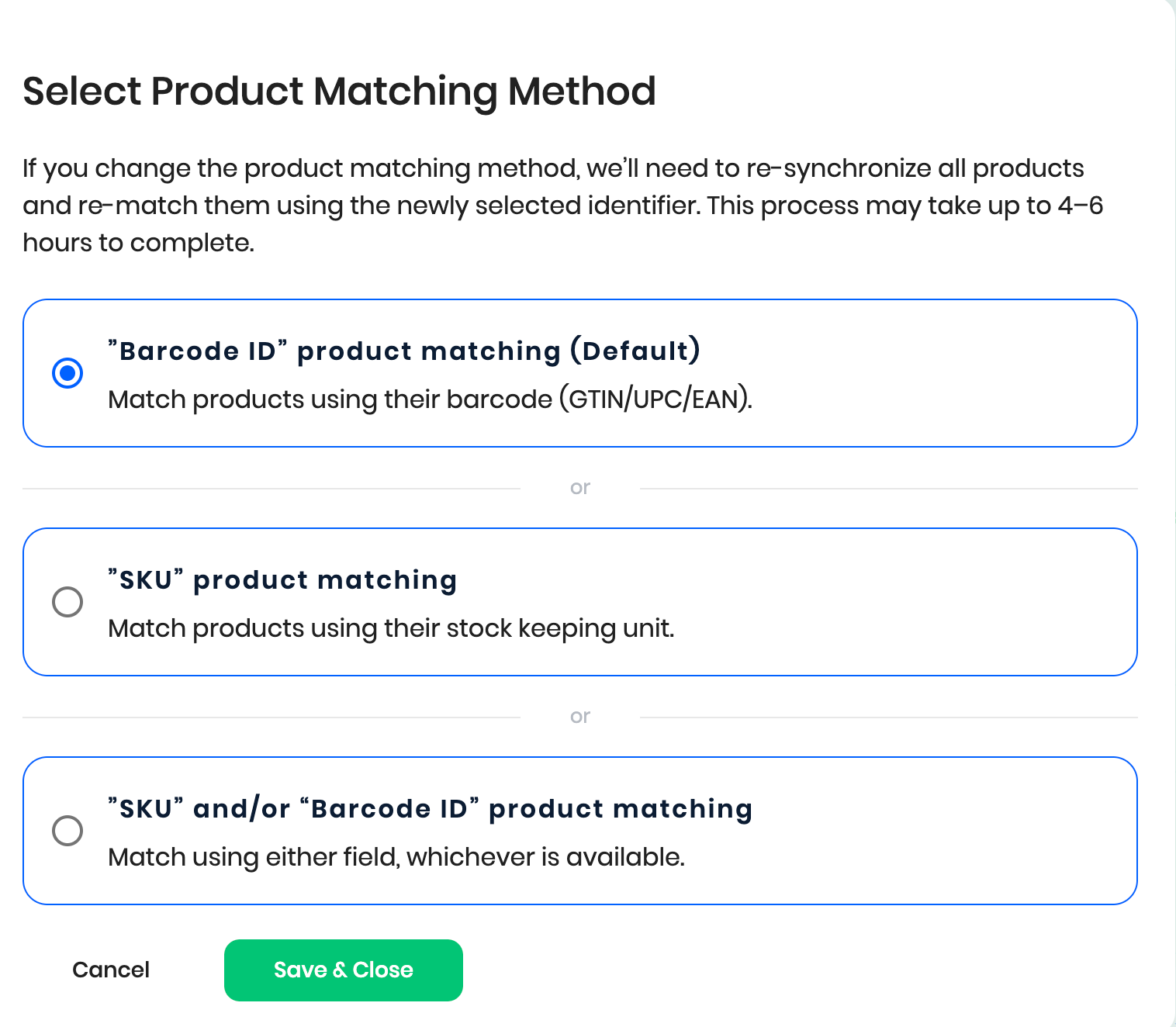
Product matching requirements
To ensure products are matched correctly:
- Make sure all product variants have valid Barcodes or SKUs.
- If you want Reaktion to match products based on SKU, please let us know.
- Avoid assigning the same Barcode or SKU to unrelated products, as this can result in incorrect product matching.
Please note that it may take up to 4-6 hours to resync and re-match the products when changing the product matching method.
Was this article helpful?
That’s Great!
Thank you for your feedback
Sorry! We couldn't be helpful
Thank you for your feedback
Feedback sent
We appreciate your effort and will try to fix the article