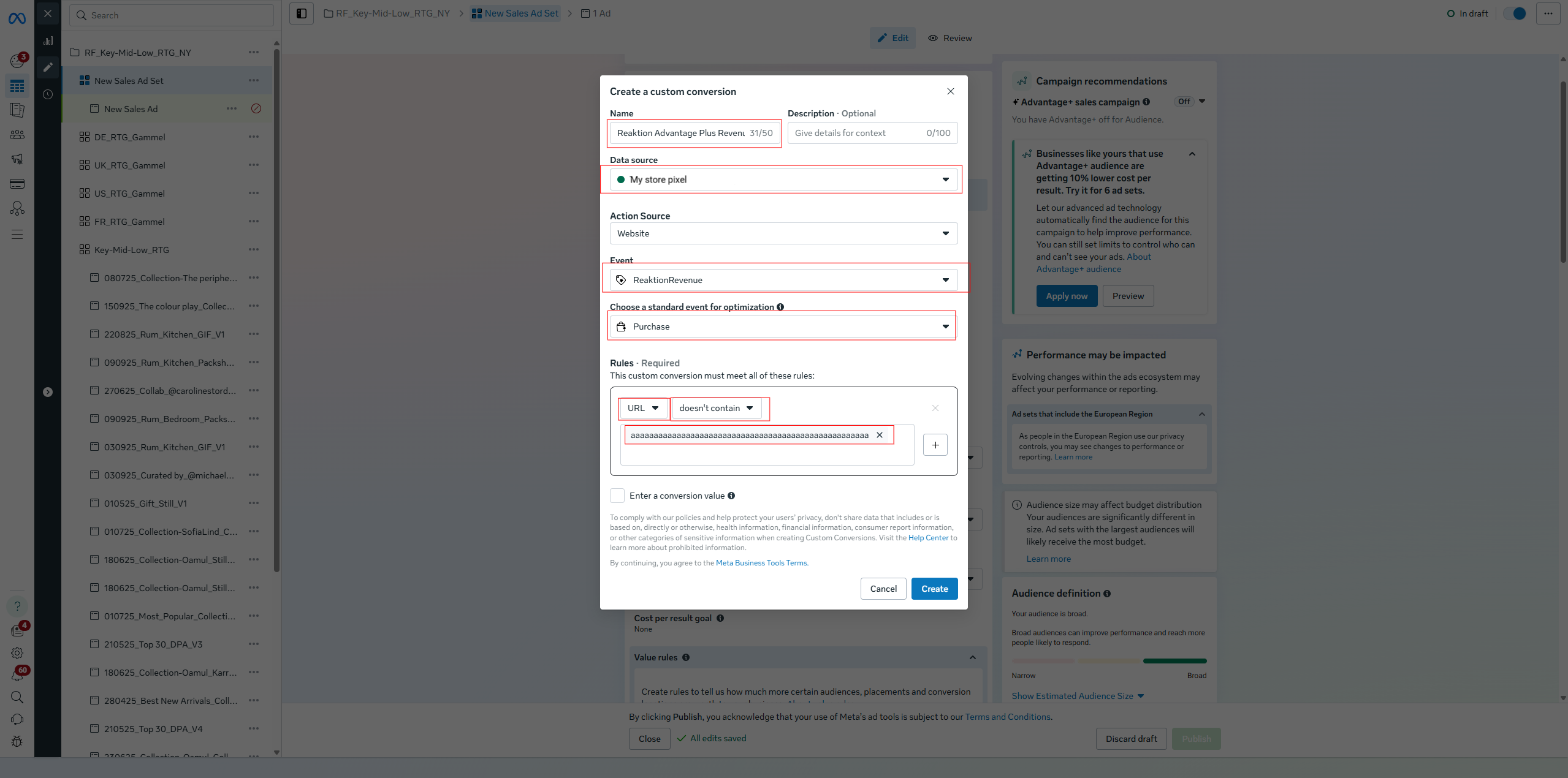
- Enter custom conversion name, for example: "Reaktion.com Advantage Plus Revenue".
- Select a pixel that you use in Reaktion (Data source input).
- Select custom event (ReaktionRevenue, ReaktionProfit etc.).
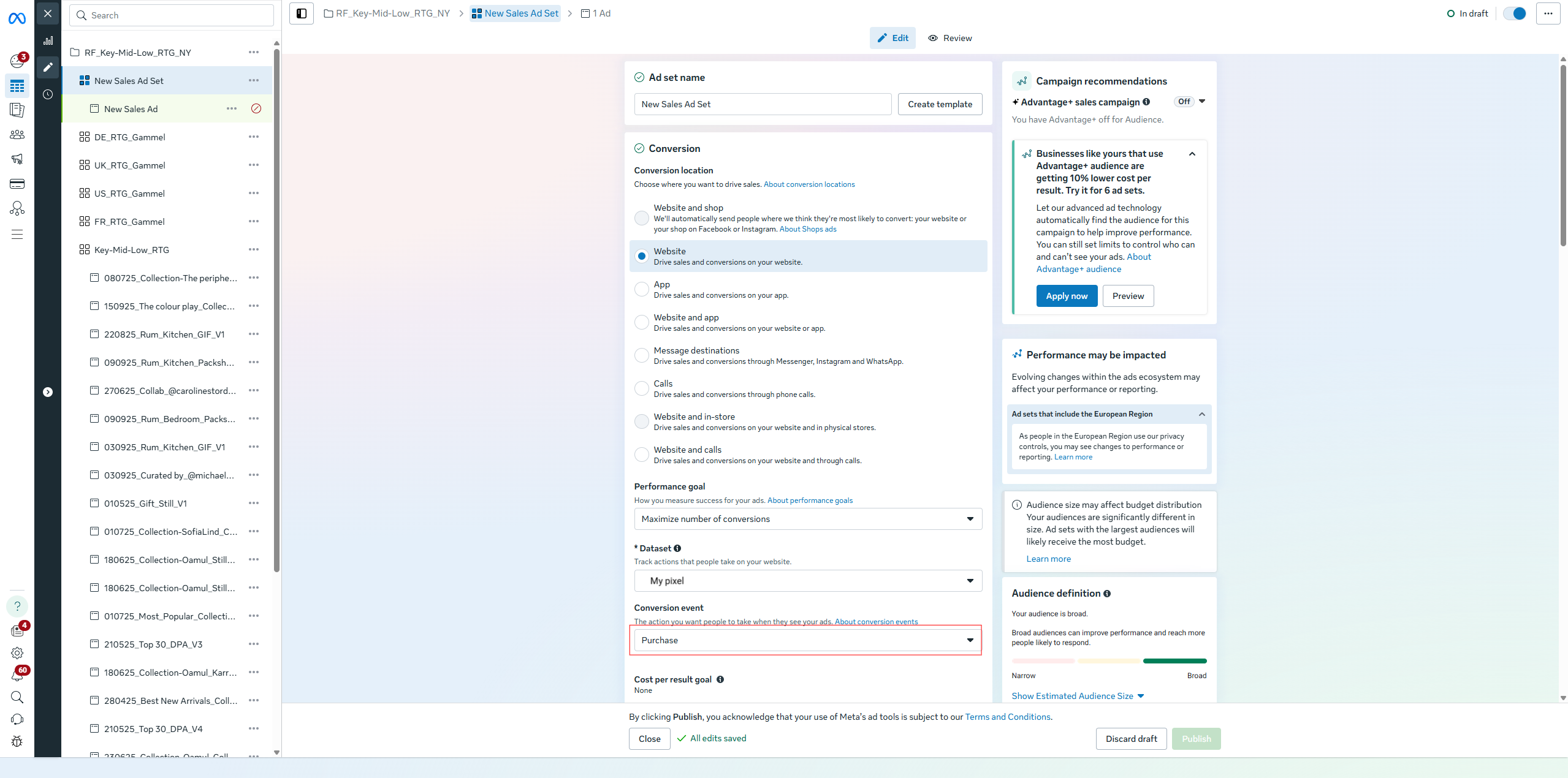
- Select an event category (Purchase) in "Choose a standard event for optimization" select box.
- Create a rule that is always going to match. We recommend selecting "URL" field, "doesn't contain" rule, and a very long arbitrary value (example:
aaaaaaaaaaaaaaaaaaaaaaaaaaaaaaaaaaaaaaaaaaaaa1242142412412)

Was this article helpful?
That’s Great!
Thank you for your feedback
Sorry! We couldn't be helpful
Thank you for your feedback
Feedback sent
We appreciate your effort and will try to fix the article