RFM stands for Recency (how recently someone purchased), Frequency (how often they purchase), and Monetary Value (how much they spend).
By segmenting customers based on these three signals, you can identify your most valuable customers and prioritize retention, loyalty, and growth efforts.
RFM segments can be used to create highly targeted remarketing audiences for campaigns designed to increase customer loyalty and customer lifetime value.
You can also use these segments to create Lookalike Audiences, helping you acquire new customers who share characteristics with your most valuable existing customers.
RFM Customer Segments
If you run a Shopify store, Reaktion automatically segments customers into the following RFM groups:
- At Risk / Can't Lose Them (Low Recency, High Frequency and Monetary Value)
Formerly high-value customers who haven't purchased in a long time. Target them with personalized win-back and re-engagement campaigns. - Champions (High Recency, Frequency, and Monetary Value)
Your highest-value customers. Reward them with exclusive access, early product launches, loyalty programs, and special offers. - Hibernating (Low Recency, Frequency, and Monetary Value)
Customers with low activity and engagement. Try to re-engage them with targeted win-back offers, or focus your efforts on higher-value segments. - Loyal Customers (High Frequency, Medium/High Recency)
Regular shoppers who purchase frequently. Strengthen the relationship with loyalty programs, personalized offers, and relevant product recommendations. - New Customers (High Recency, Low Frequency)
Customers who have purchased recently but have not yet made multiple purchases. Focus on onboarding and encouraging their second purchase.
Create an RFM Audience
Navigate to: LTV & Customers → Custom Audiences
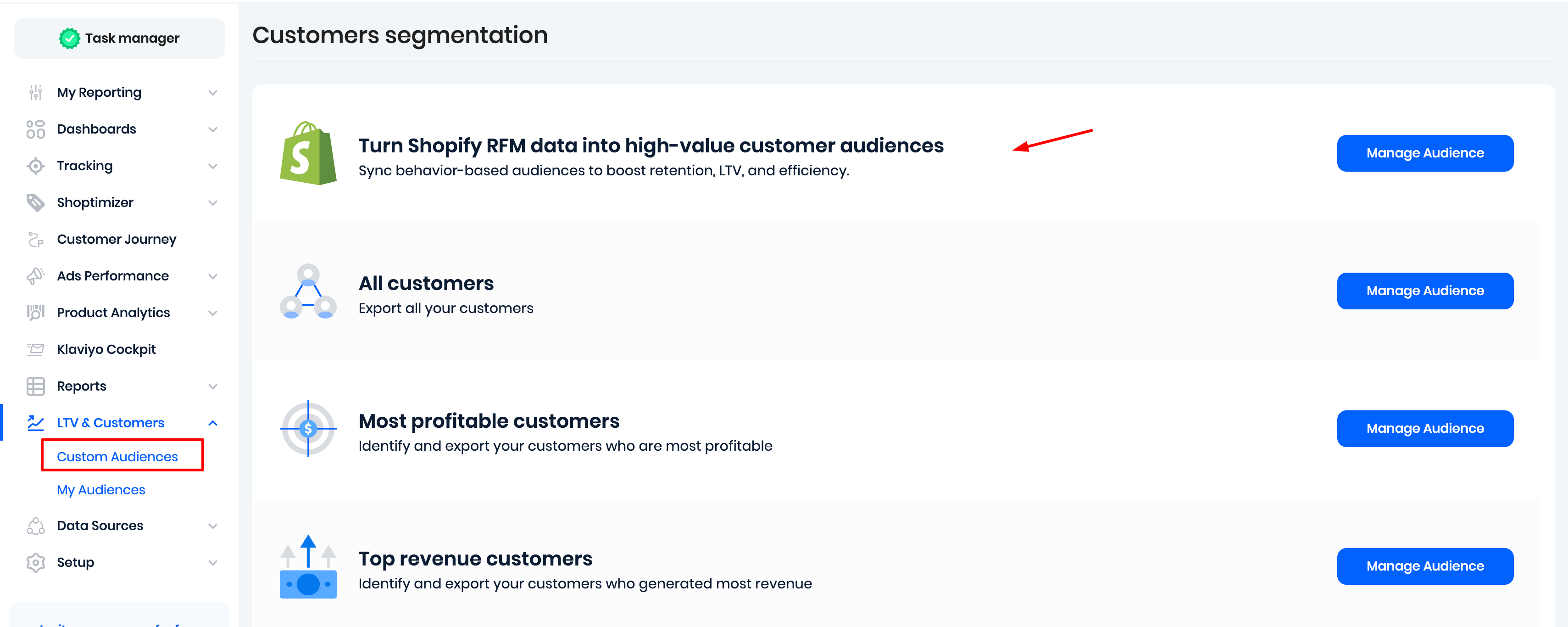
Click Manage Audience.
If you have a multi-store setup, select the relevant store/market, then select one or more RFM segments.
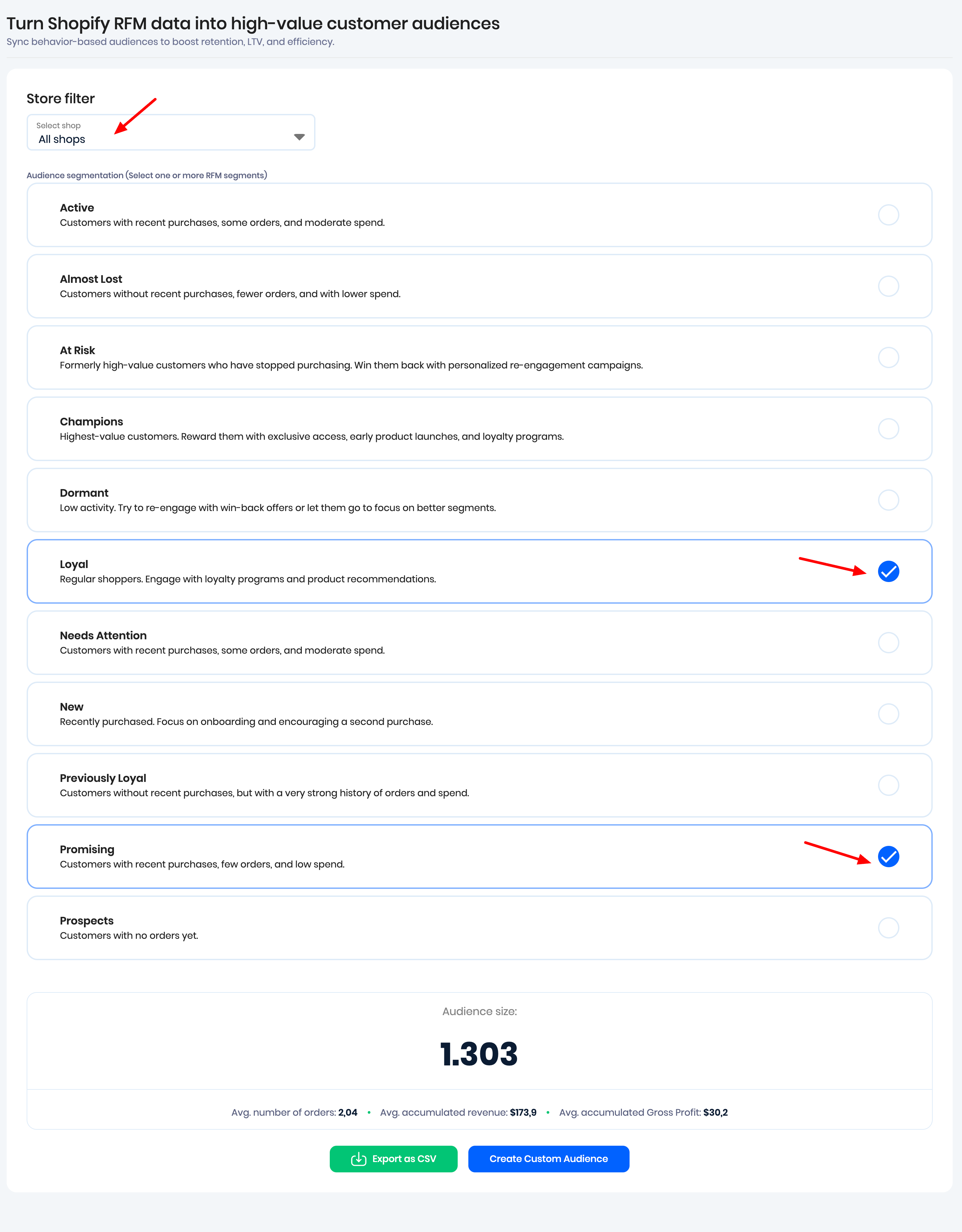
You can then:
- Export a CSV file containing encrypted customer data, ready to be imported into Meta Ads, Google Ads, or Snapchat Ads.
- Create a Custom Audience for Meta Ads or Klaviyo.
Once the audience has been created, Reaktion synchronizes the audience data once every 24 hours.
Dynamic Audience Synchronization
Synced Meta Ads audiences are dynamic. Reaktion checks the audience criteria daily and automatically adds new customers or removes customers based on the latest customer data.
This keeps your Meta Ads audience up to date without requiring you to manually update or recreate it.
Was this article helpful?
That’s Great!
Thank you for your feedback
Sorry! We couldn't be helpful
Thank you for your feedback
Feedback sent
We appreciate your effort and will try to fix the article
