Reaktion displays a preview of your TikTok ad creatives in Ads Performance when the creative is accessible through the connected TikTok ad account. In your Reaktion account, navigate to Ads Performance > select TikTok to view the performance of your TikTok ads:
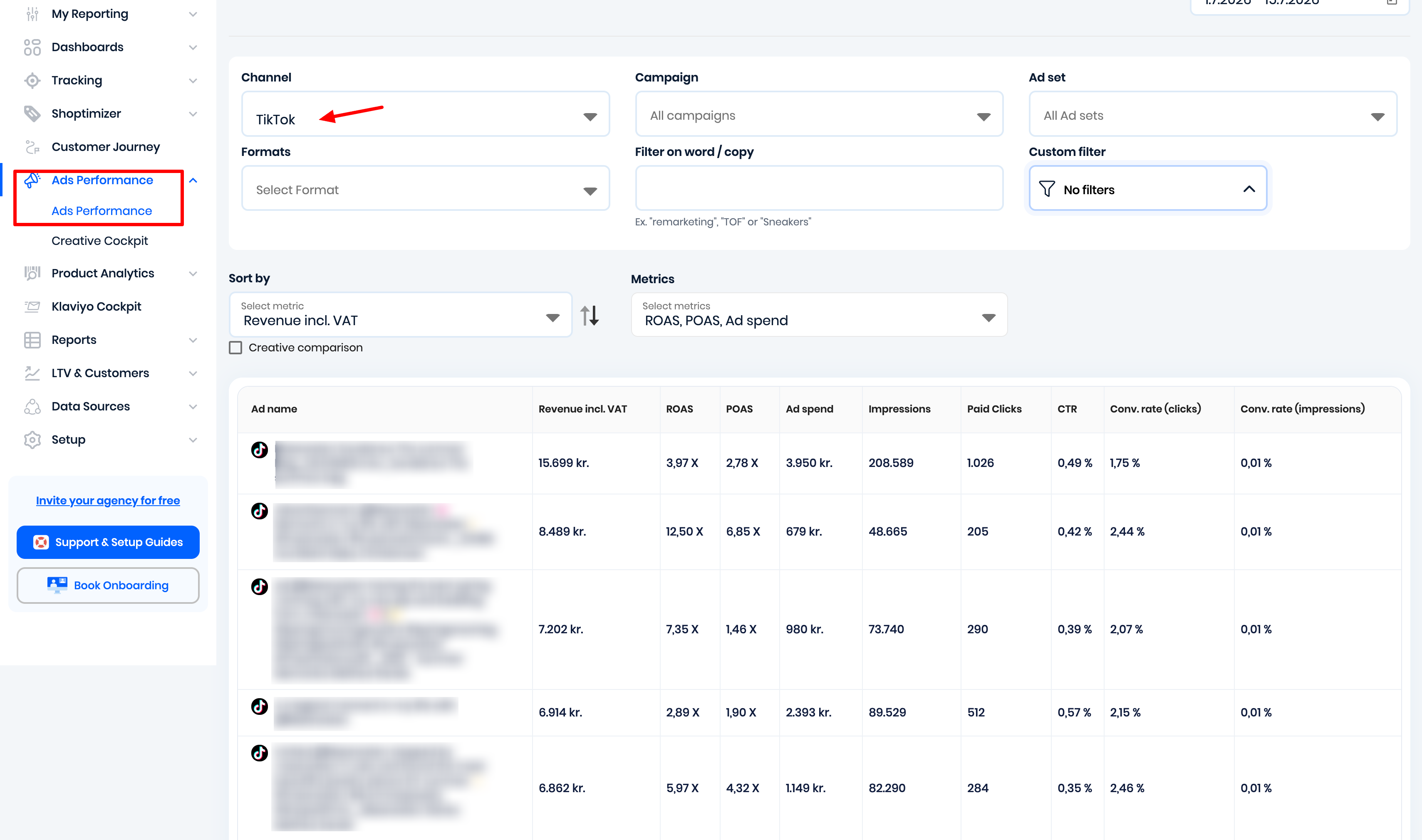
Hovering your mouse pointer over the ad name will display a visual preview of the ad.
If the preview shows "No preview available", Reaktion is unable to retrieve the creative from TikTok. This does not affect your tracking or reporting.
Step 1: Check the ownership of the ad creative
In TikTok Ads Manager, open the affected ad and verify how the video was added to the campaign.
Reaktion can display previews of creatives accessible through the connected ad account. Previews may not be available if the creative:
- Belongs to another TikTok account.
- Belongs to external creators.
- Was shared via authorization codes.
- Is owned by another Business Center.
- Is not accessible to the connected ad account due to missing permissions.
Step 2: Verify the TikTok account connection
If the creative belongs to a TikTok account, ensure that the account is linked to the correct TikTok ad account.
Follow TikTok's documentation to verify or update the account connection:
https://ads.tiktok.com/help/article/about-linking-tiktok-accounts-as-ad-delivery-assets-in-ads-manager?lang=en
Step 3: Update creative ownership or permissions
If the affected videos belong to a TikTok account, creator, or another Business Center, make sure that TikTok account is properly linked or authorized to the advertiser account through TikTok Business Center.
The connected advertiser account must have permission to access the affected videos. For Spark Ads or creator content, additional authorization from the TikTok account or content owner may be required.
In TikTok Business Center, check Accounts → TikTok accounts and verify that the relevant TikTok account is linked to the advertiser account and has access to existing posts.
If the affected videos were shared using authorization codes or belong to another creator/Business Center, you may need the content owner or TikTok Support to update the authorization.
Step 4: Allow Reaktion to re-synchronize
After the ownership or permissions have been corrected, Reaktion will automatically resynchronize your TikTok ads.
The synchronization typically completes within 6 hours, after which the ad previews should be displayed.
If the issue persists:
If previews are still unavailable after the synchronization period:
- Confirm that the correct TikTok ad account is connected in Reaktion.
- Verify that the creative is accessible from the connected ad account in TikTok Ads Manager.
- Contact Reaktion Support at support@reaktion.com if the issue persists after the permissions have been updated and at least 6 hours have passed.
Was this article helpful?
That’s Great!
Thank you for your feedback
Sorry! We couldn't be helpful
Thank you for your feedback
Feedback sent
We appreciate your effort and will try to fix the article