You can easily change currency at any given time. All revenue or expenses in a currency other than the selected currency will be converted at the present-day exchange rate.
In the upper right corner, click on your username and then Settings:
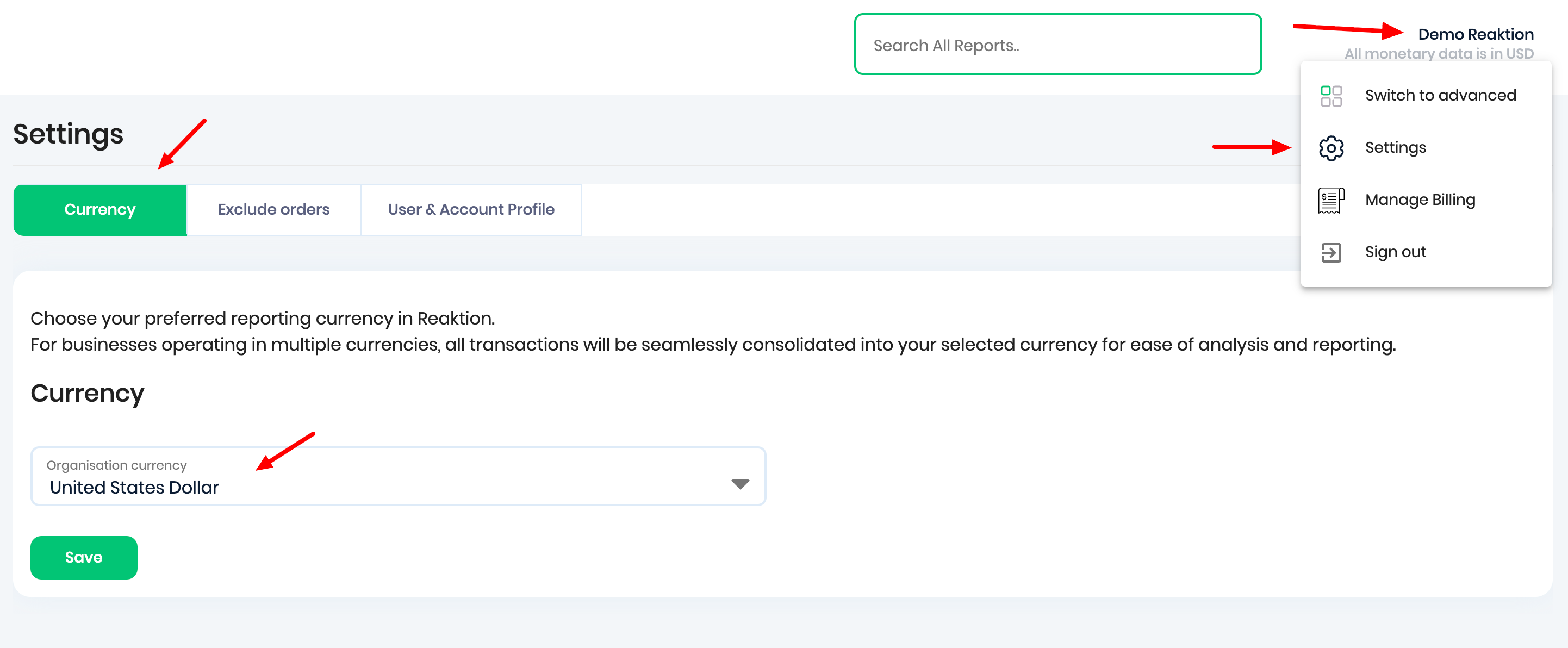
Select your preferred reporting currency and click Save

We are now recalculating all your data in the selected currency. Depending on the amount of data you have, it might take a few minutes.
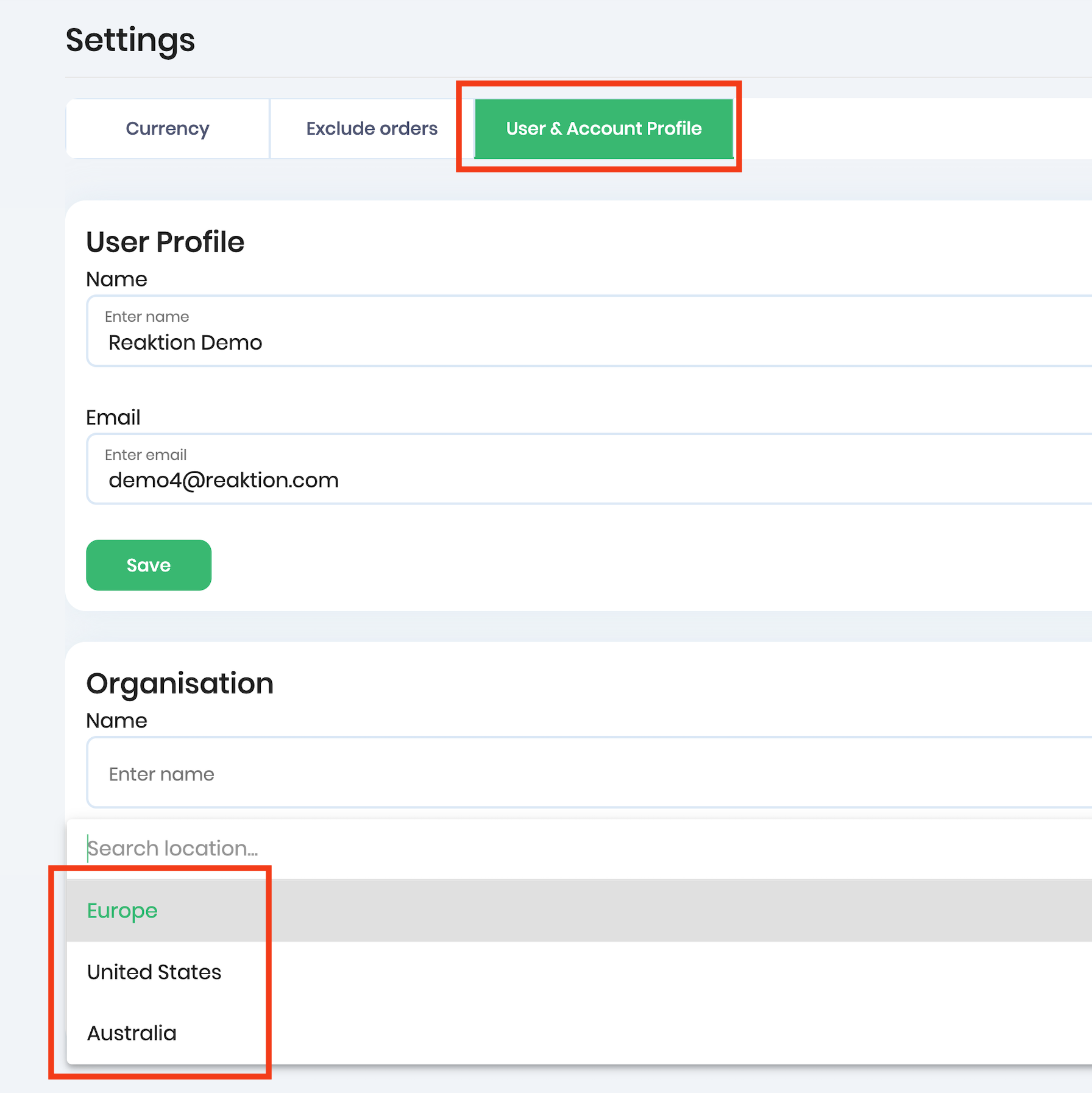
You can also adjust the localization settings, like date format or decimal separator. Simply navigate to User & Account Profile and select your preferred setting:
Was this article helpful?
That’s Great!
Thank you for your feedback
Sorry! We couldn't be helpful
Thank you for your feedback
Feedback sent
We appreciate your effort and will try to fix the article