You need to generate an “API access token” per Meta Ads Business account (no tech skills required)
1) Go to the My Tracking page in Reaktion: https://advertiser.reaktion.com/tracking/my-tracking
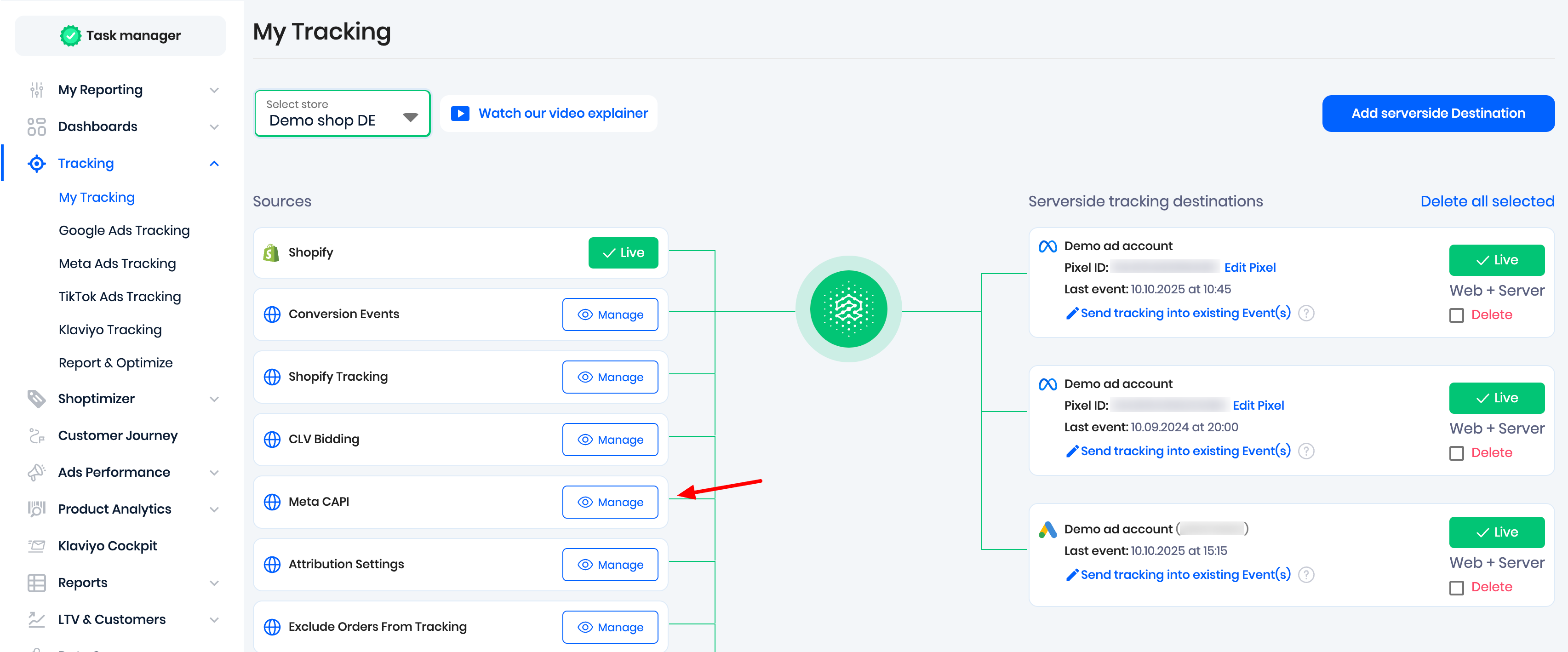
2) Click on 'Manage' next to Meta CAPI:
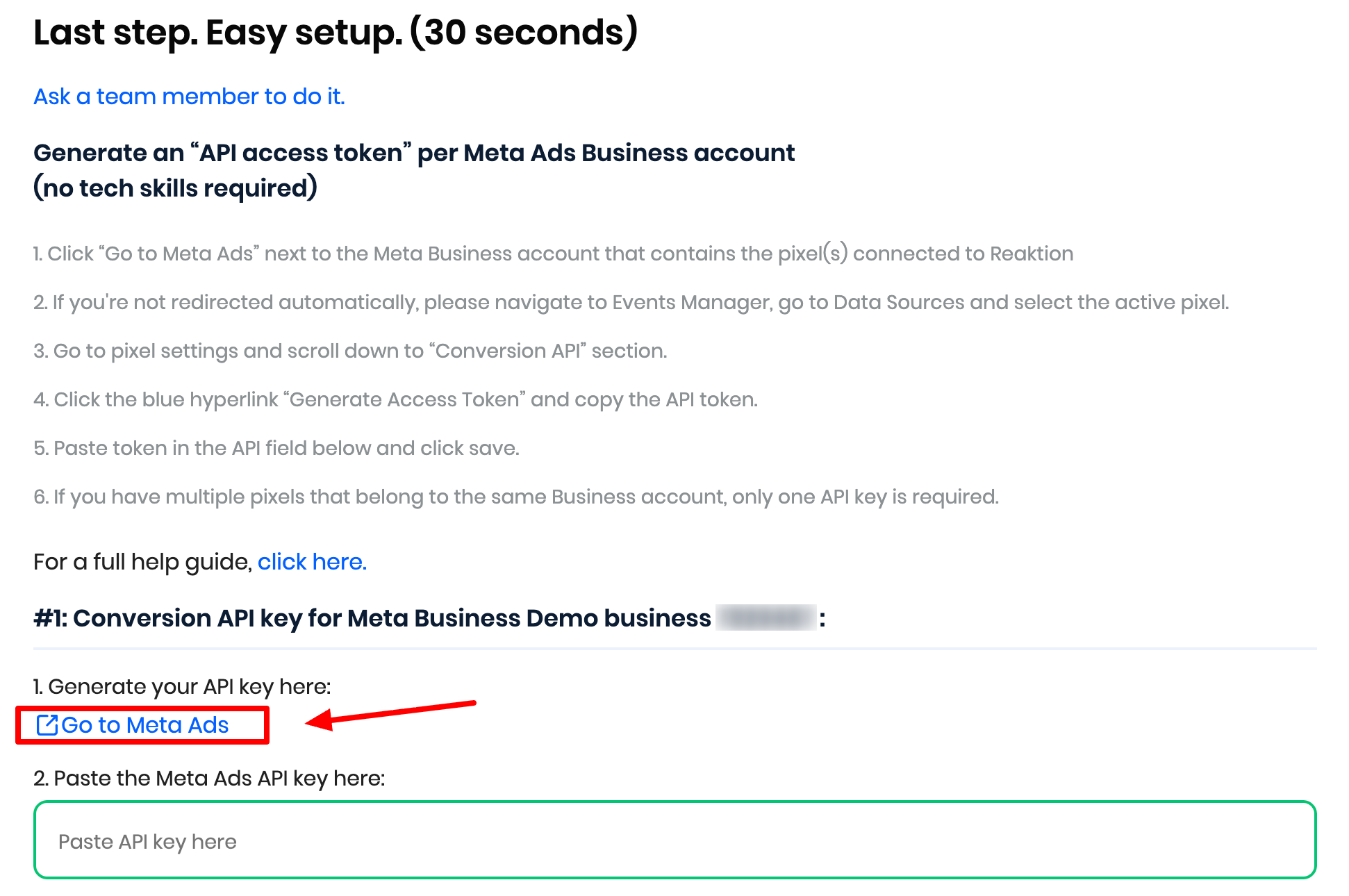
3) Click “Go to Meta Ads” next to the Meta Business account that contains the pixel(s) connected to Reaktion:
4) If you are not redirected automatically, please open your Meta ad account. In the left panel, click on Events Manager, go to Data Sources, and select the active pixel.
5) Go to Dataset Settings and scroll down to the Conversions API section and set up direct integration. Leave the default setting Set up with Dataset Quality API selected.
6) Click the blue hyperlink Generate Access Token:
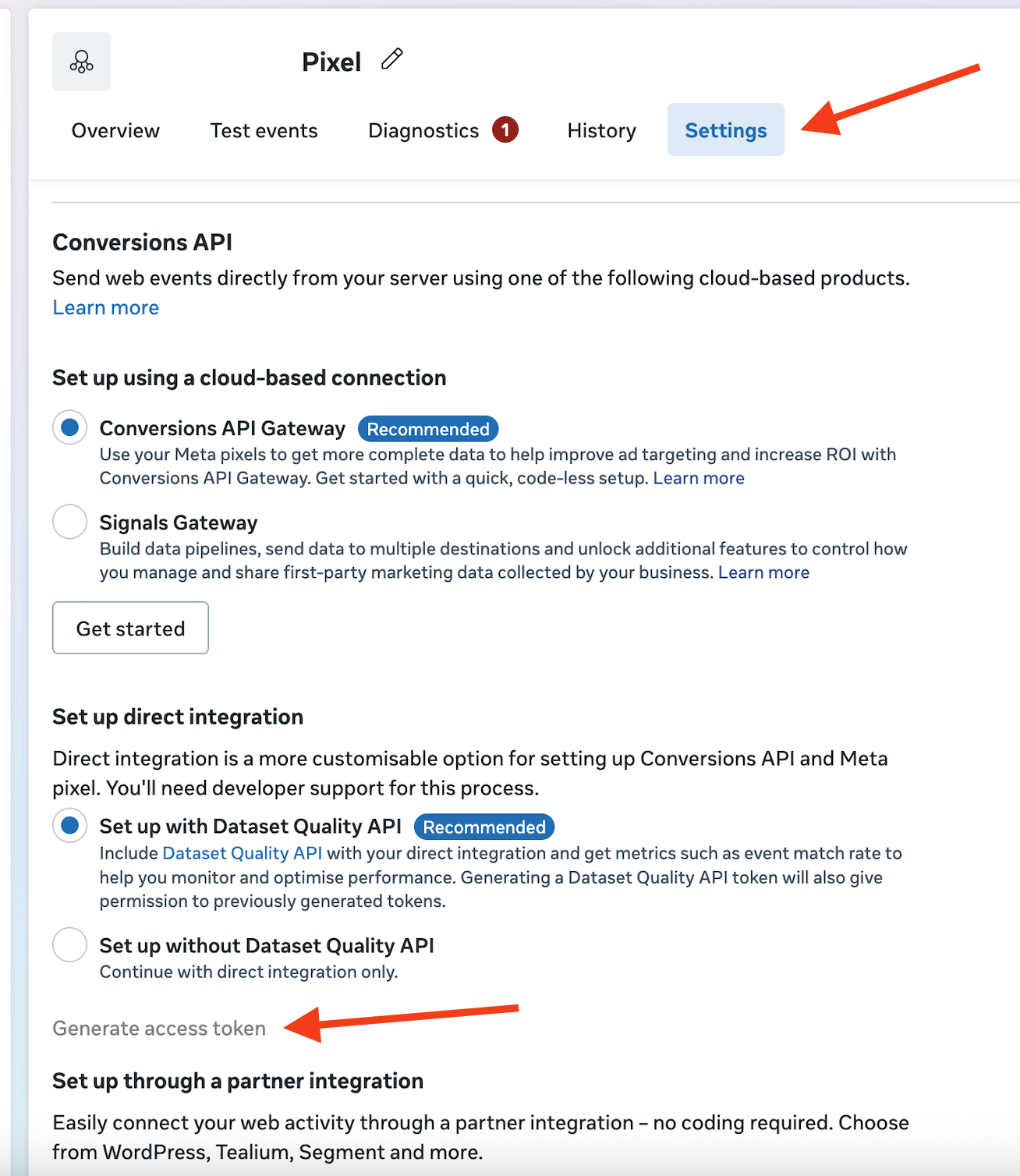
Note: the link might be inactive if you don't have full admin permissions to the pixel.
Permissions can be adjusted here: Business Settings → Data sources → Datasets → Select pixel → People tab
7) Copy the API token:

6. Paste the token in the field in Reaktion next to the correct Business Account and click Save.
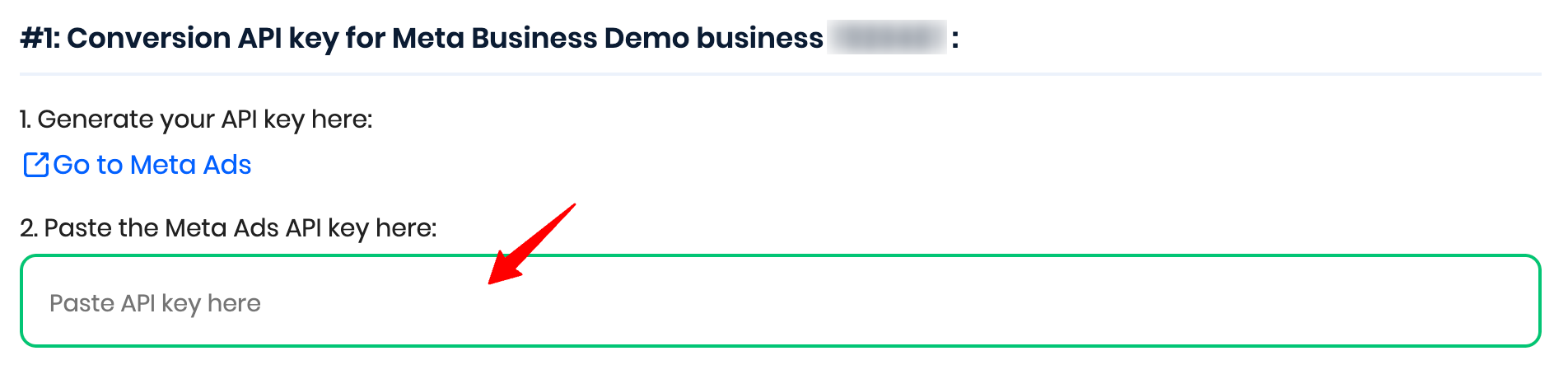
Note: If you have multiple pixels that belong to the same Business Account, only one API key is required.
Was this article helpful?
That’s Great!
Thank you for your feedback
Sorry! We couldn't be helpful
Thank you for your feedback
Feedback sent
We appreciate your effort and will try to fix the article