If you see an unauthorized data source in Reaktion or need to re-authenticate a data source, this is often caused by the person who originally connected the data source losing access to the associated account.
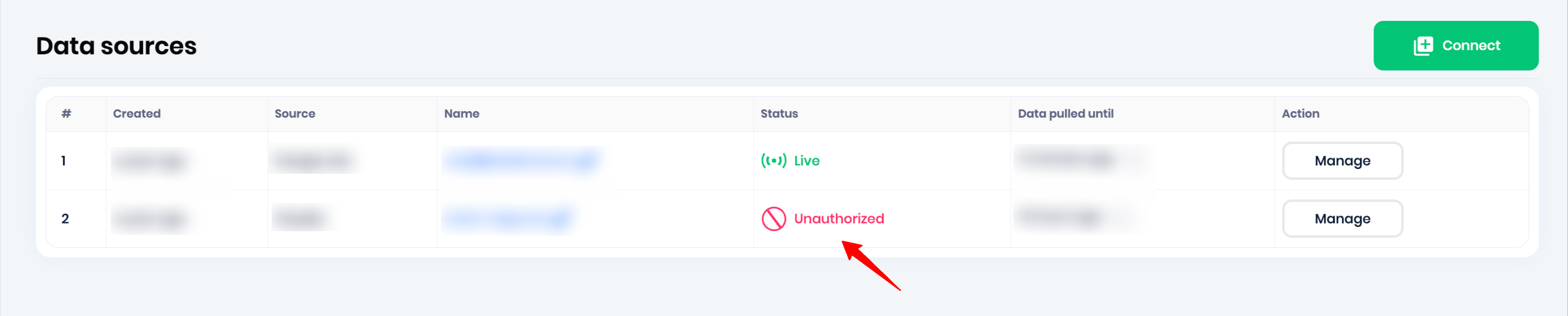
Quick fix
Follow these steps to re-authenticate the data source:
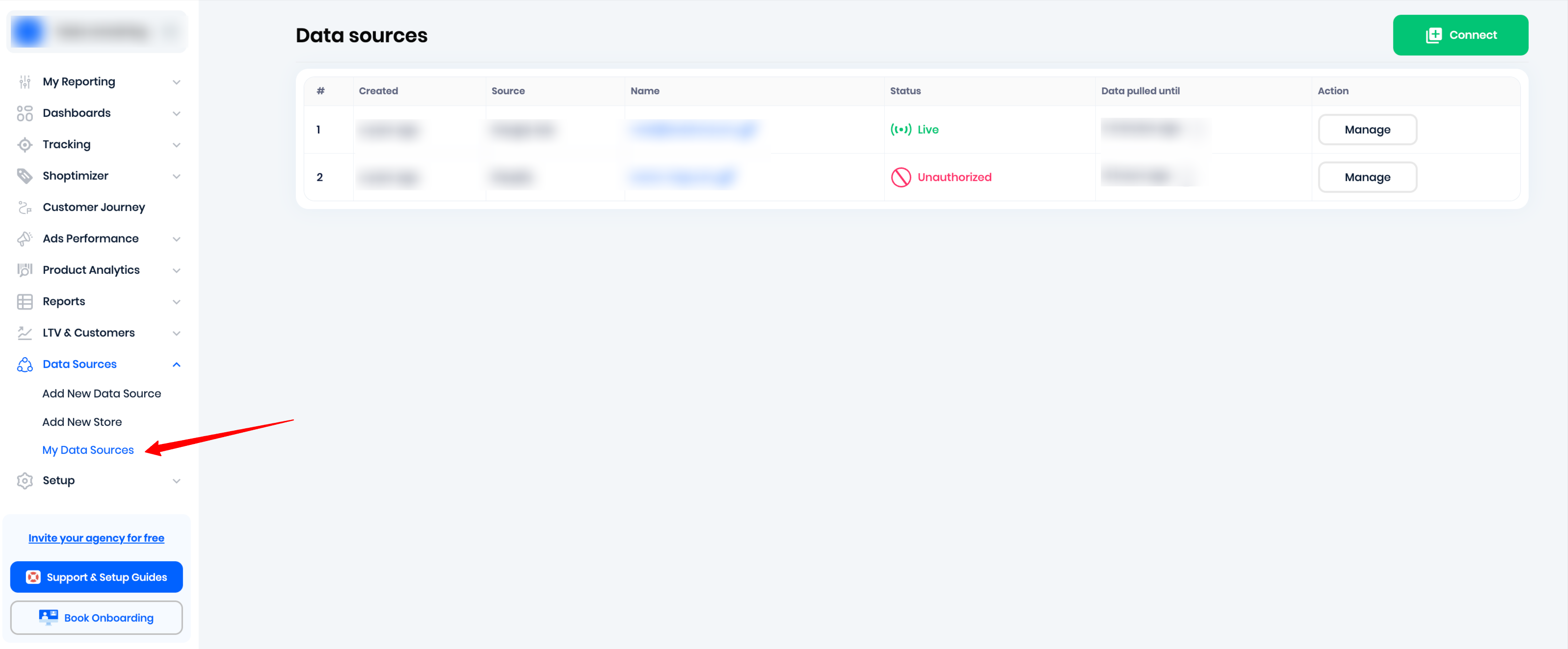
Step 1: Go to My Data Sources
Navigate to Data Sources → My Data Sources.
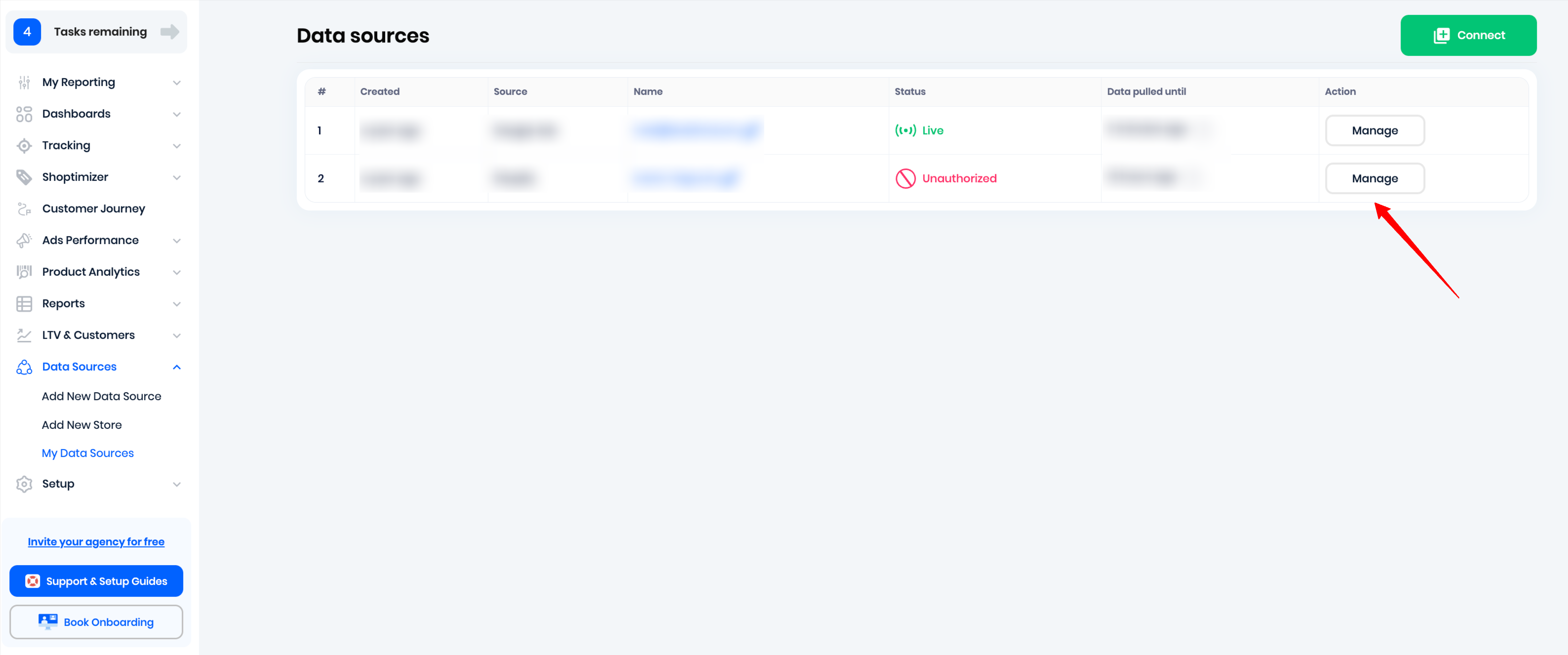
Step 2: Manage the unauthorized data source
Find the unauthorized data source and click Manage on the right.
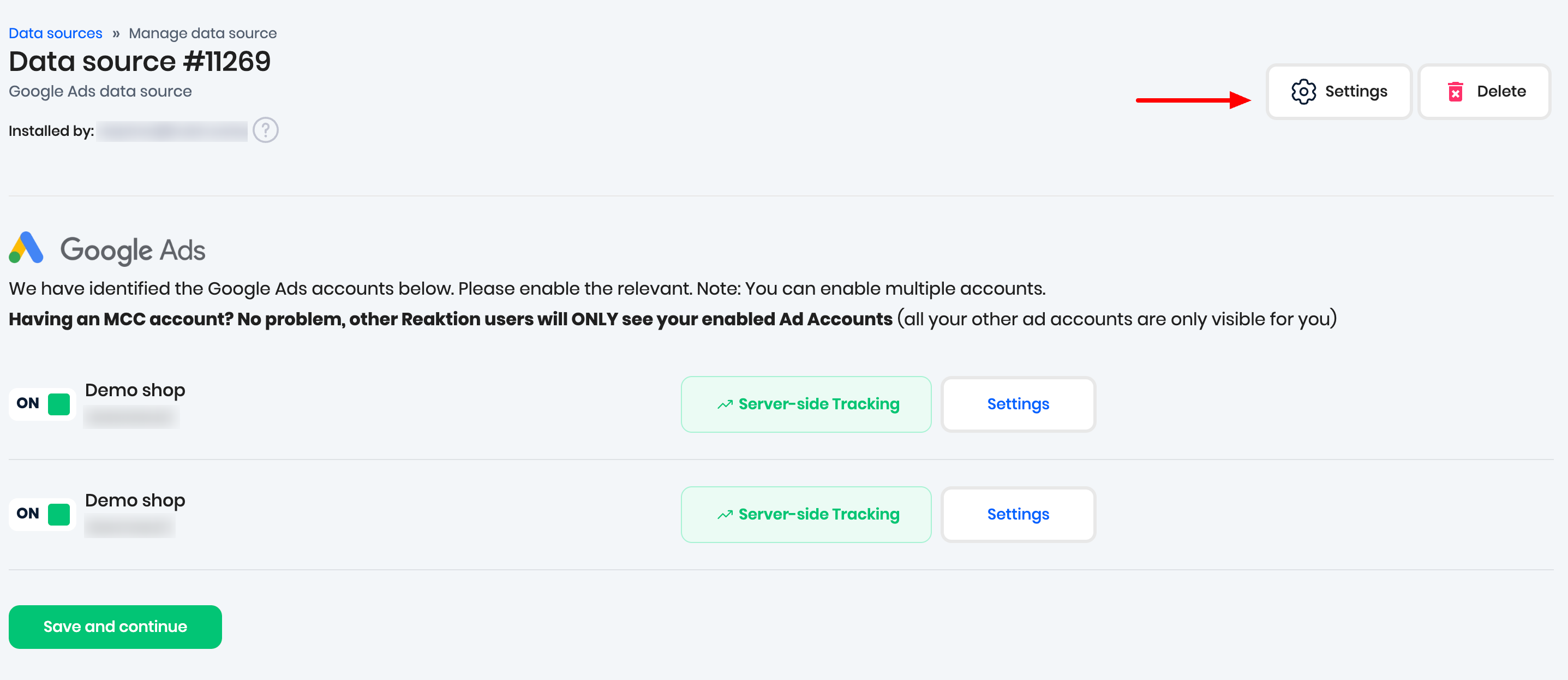
Step 3: Open Settings
Click Settings in the upper-right corner.
Step 4: Refresh Access
Click Refresh Access.

Step 5: Re-authenticate the account
Log in to the relevant account and follow the prompts to re-authenticate the connection.
Once completed, the data source should be authorized again and Reaktion can resume accessing the data.
Was this article helpful?
That’s Great!
Thank you for your feedback
Sorry! We couldn't be helpful
Thank you for your feedback
Feedback sent
We appreciate your effort and will try to fix the article