For Shopify Users Only
You can proactively update your Reaktion plan by following these steps:
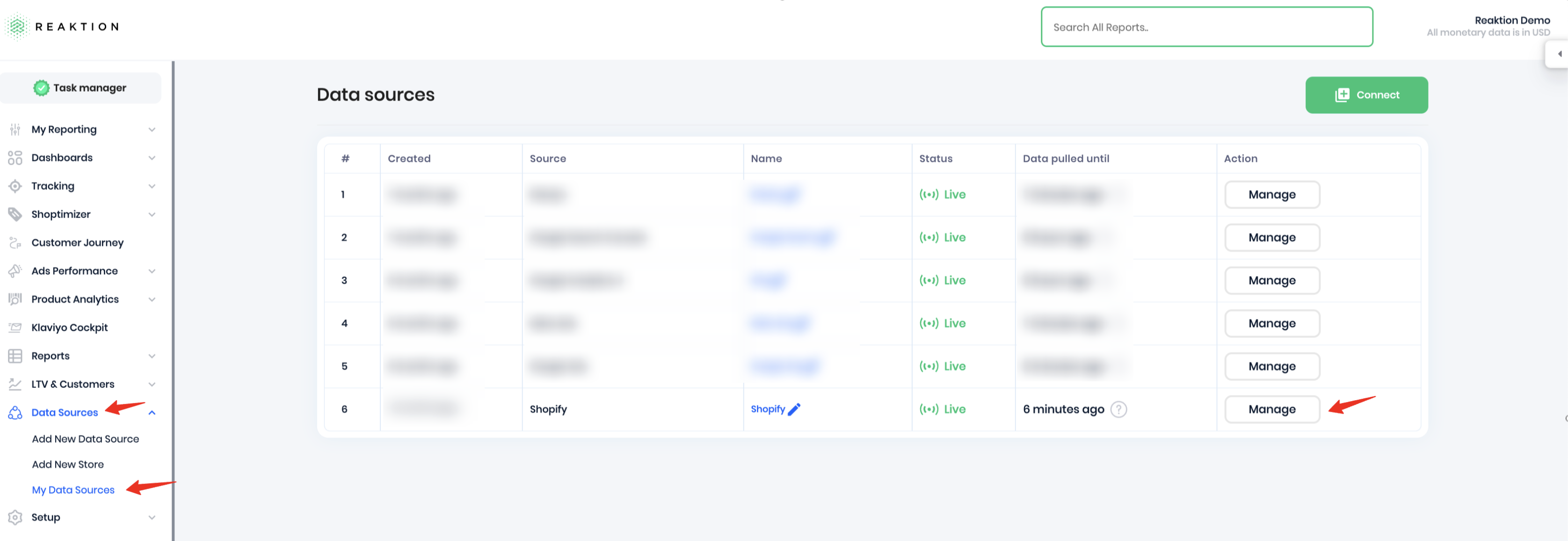
- Go to Data Sources → My Data Sources in your Reaktion account
- Click Manage next to your connected Shopify account.
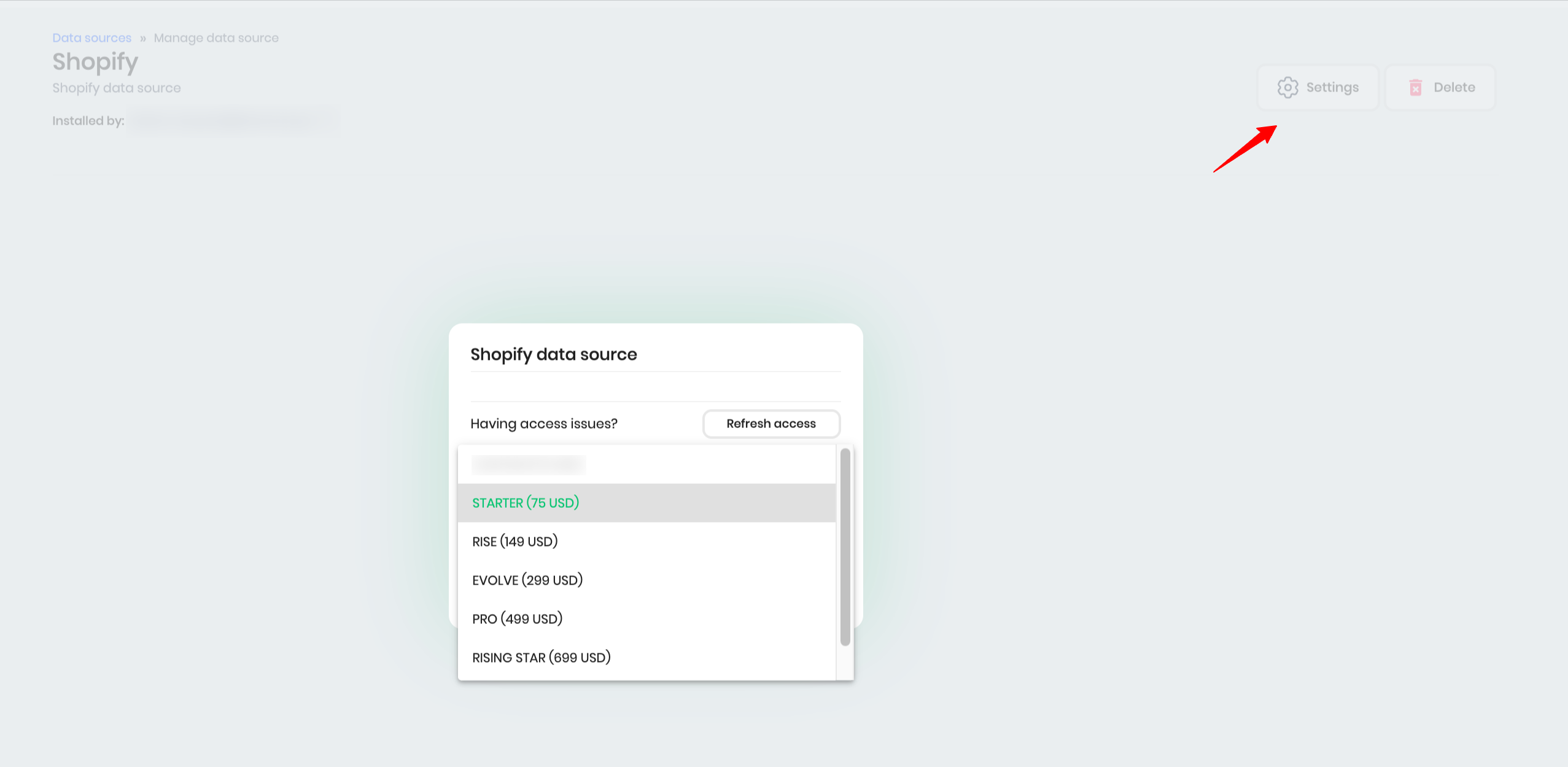
- Select Settings. A pop-up will appear, allowing you to upgrade your plan to the option that best fits your needs.
For Non-Shopify Users
To adjust your Reaktion plan, please contact our Customer Success team at support@reaktion.com.
When reaching out, kindly include your store's forecasted monthly orders to help us recommend the most suitable plan.
Was this article helpful?
That’s Great!
Thank you for your feedback
Sorry! We couldn't be helpful
Thank you for your feedback
Feedback sent
We appreciate your effort and will try to fix the article
