The Branded Keyword Filter feature allows users to define brand-related keywords used in campaign names and automatically identify brand campaigns in performance reports.
Many marketers separate brand and non-brand campaigns when analyzing paid marketing performance because these campaigns often have different objectives, user intent, and performance characteristics. Brand campaigns typically generate stronger results and can significantly influence overall reporting metrics.
With this feature, users can:
- Quickly filter and compare performance between brand and non-brand campaigns.
- Quickly exclude brand campaign performance from paid marketing reports when analyzing non-brand campaign effectiveness.
- Apply consistent brand campaign filtering across reports and performance views.
How It Works
Previously, users had to manually enter campaign naming keywords each time they wanted to identify brand campaigns.
With the Branded Keyword Filter feature, users can define their brand keywords once. The platform will automatically use these keywords to identify relevant campaigns whenever performance filtering is applied.
Setting Up Branded Keywords
To configure your branded keywords:
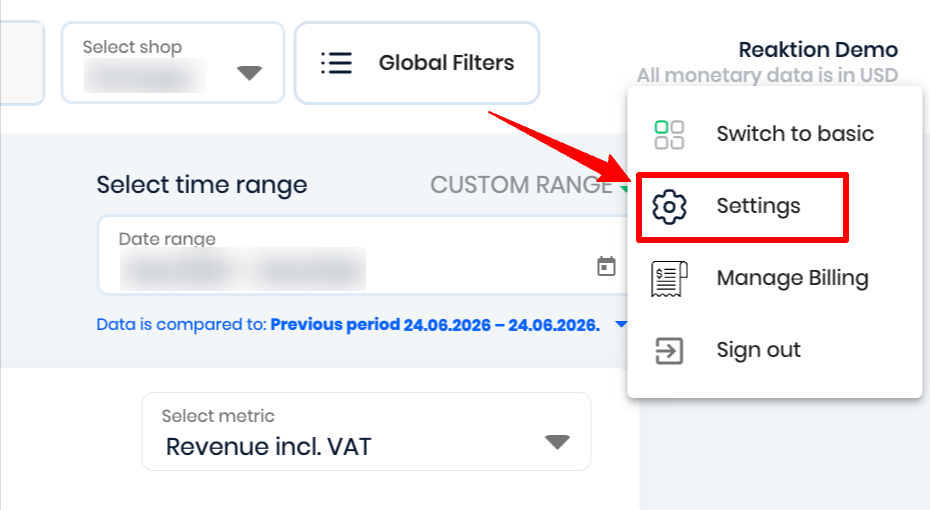
- Navigate to Settings under your name at the top right corner
- Navigate to the Brand Campaigns Filter settings.
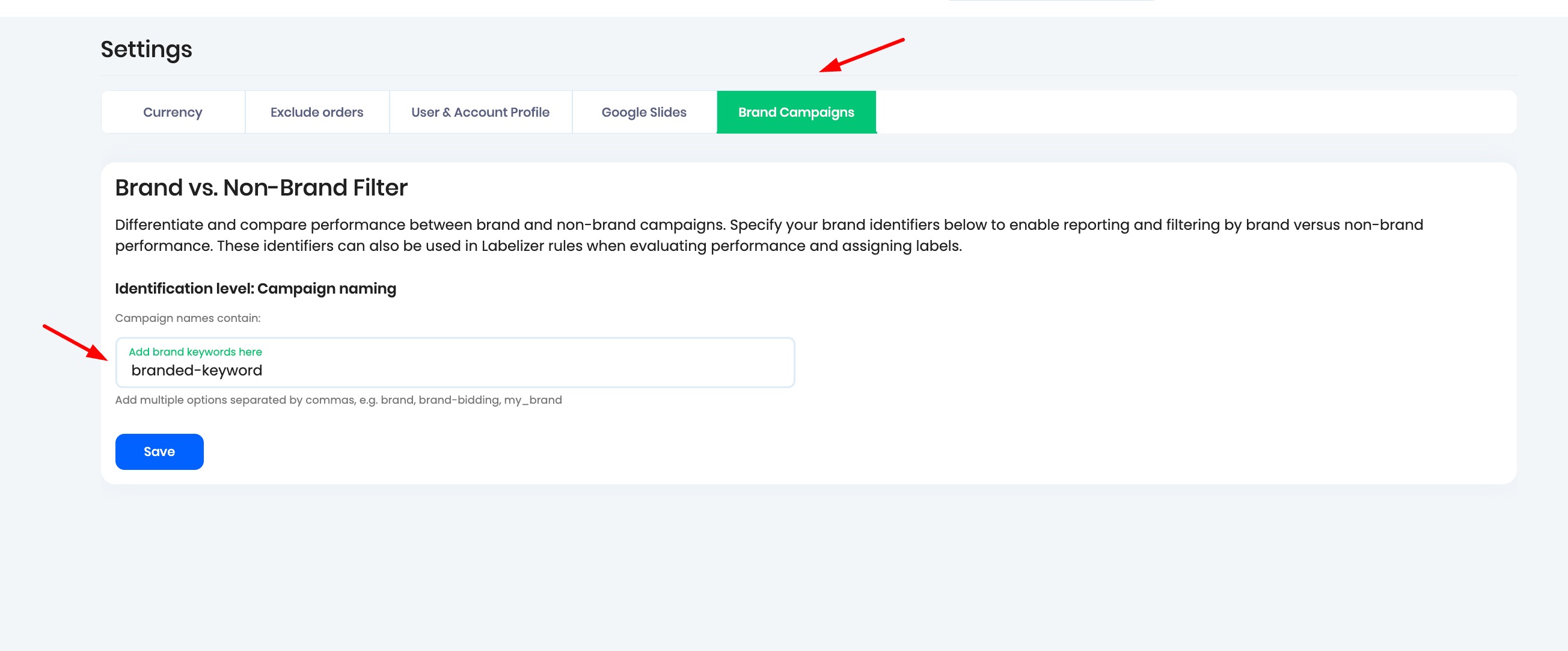
- Enter the keywords you used in your brand campaign names.
- Save your changes.
Once saved, the platform will automatically detect campaigns containing these keywords as brand campaigns.
Use Cases
Using Branded Keyword Filters in Campaign Performance
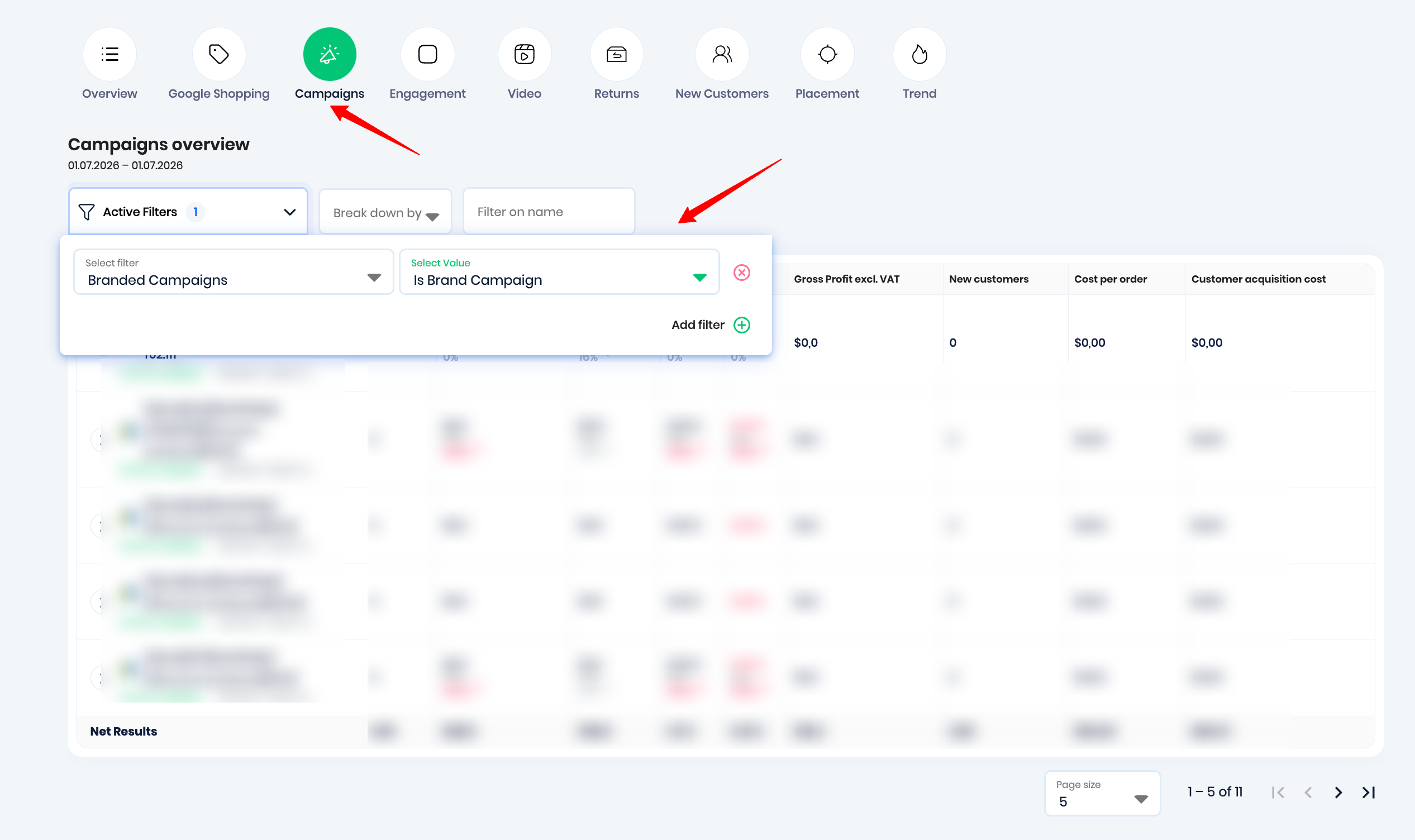
After configuring your branded keywords, you can use the filter when analyzing campaign performance.
When viewing campaign performance:
- Open the campaign filter options.
- Select the Branded Campaigns filter.
- Choose whether to include or exclude brand campaigns from your report.
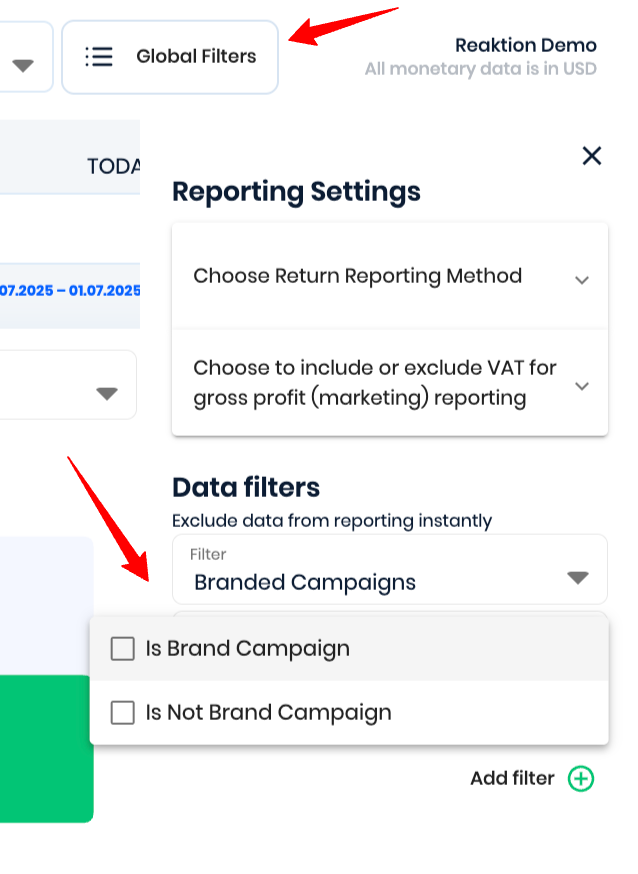
Using Branded Keyword Filters in Global Filters
The Branded Keyword Filter is also available in global filters, allowing you to apply brand campaign filtering across your reporting views.
By using branded keyword filtering, you can create more accurate performance analysis and better understand the impact of your paid marketing campaigns.
Was this article helpful?
That’s Great!
Thank you for your feedback
Sorry! We couldn't be helpful
Thank you for your feedback
Feedback sent
We appreciate your effort and will try to fix the article