If your WooCommerce store is protected by Cloudflare, Cloudflare security rules may sometimes block Reaktion from accessing your WooCommerce API.
To prevent this, you can create a Cloudflare Custom Rule that recognizes and allows requests sent by Reaktion.
Before you begin
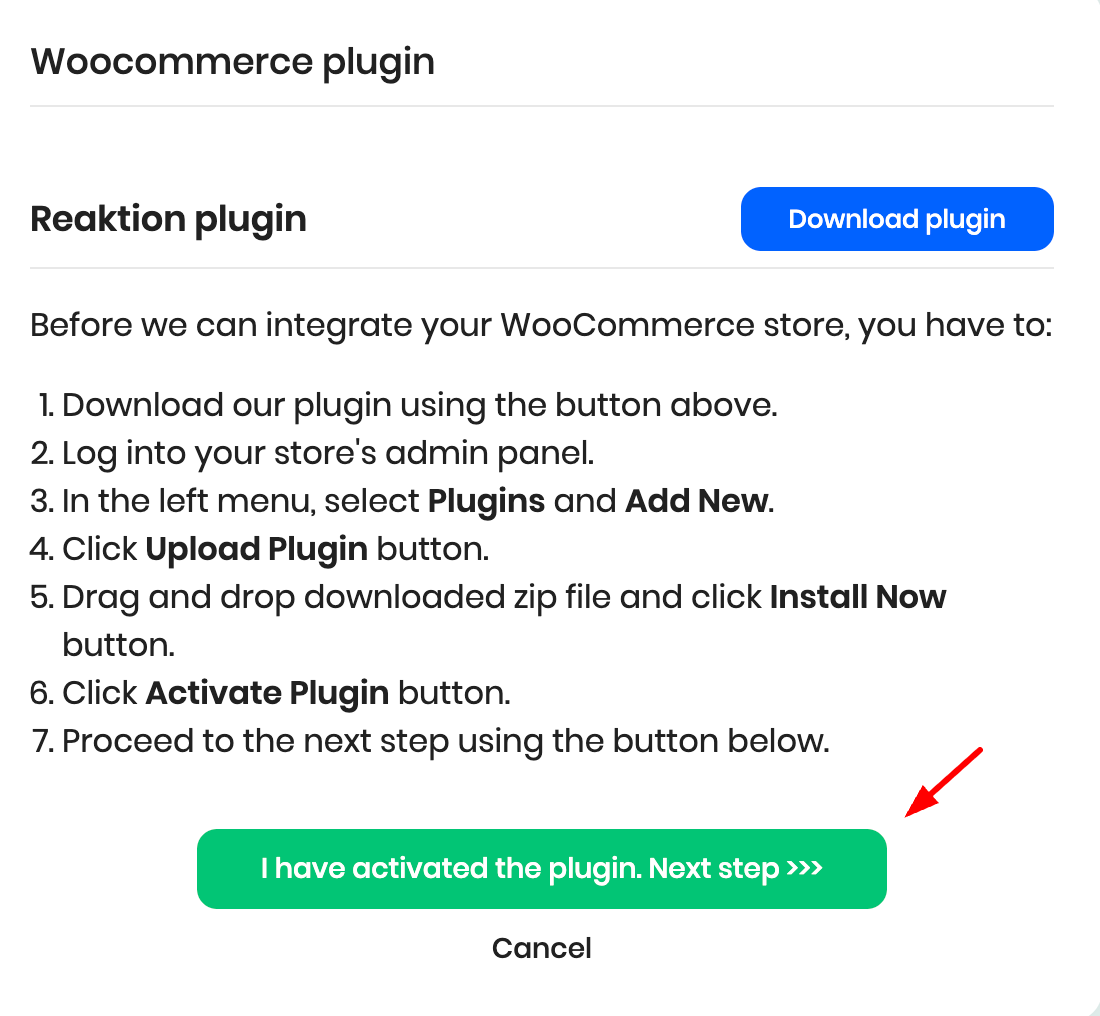
In your Reaktion account, connect your WooCommerce data source as per this guide. Once you have installed the plugin, click here:
Copy the Reaktion API User-Agent value:
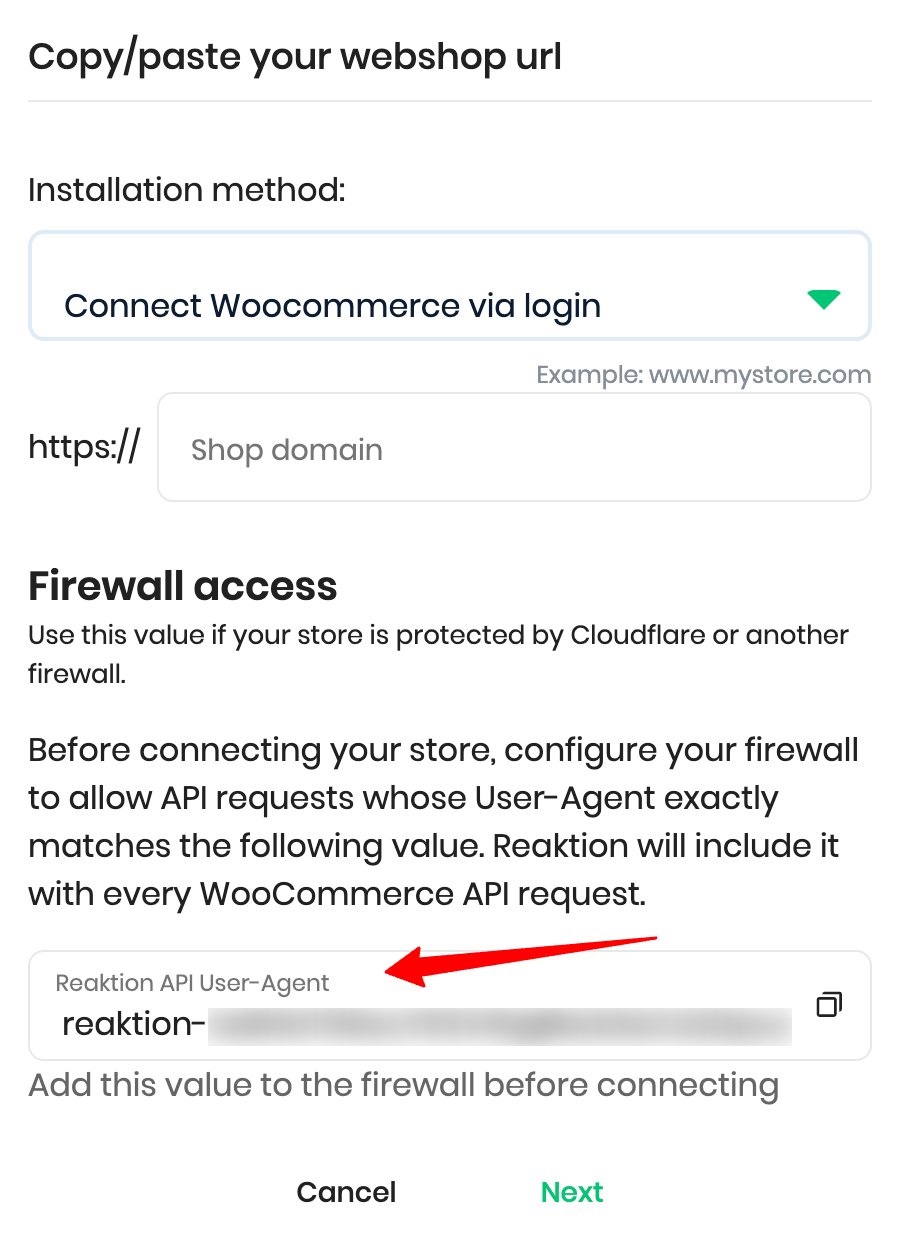
Reaktion includes this User-Agent with every API request sent to your WooCommerce store.
Step 1: Log in to Cloudflare
Log in to your Cloudflare account.
Select the domain connected to your WooCommerce store.
Step 2: Create a Custom Rule
In the left-hand menu, go to Security rules.
Click Create rule.
Select Custom rules.
Enter a name for the rule, for example:
Allow Reaktion WooCommerce API
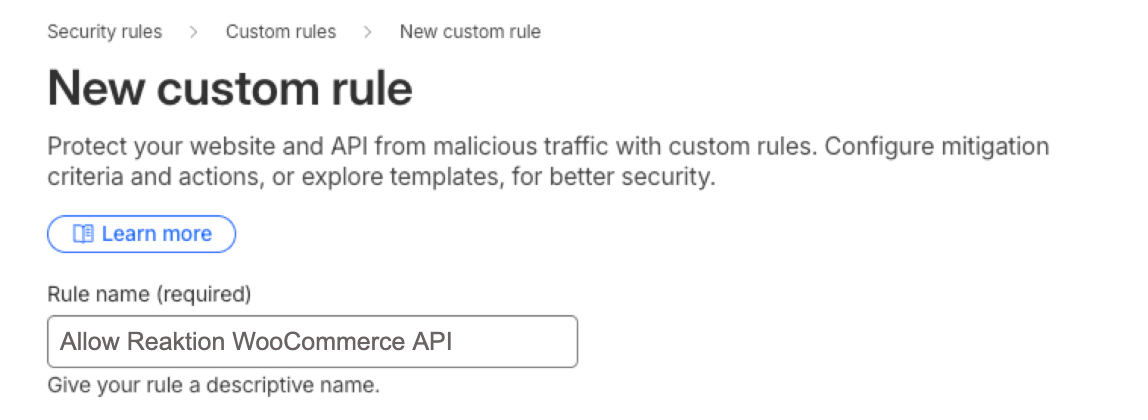
Cloudflare Custom Rules allow you to match incoming requests based on properties such as the HTTP User-Agent.
Step 3: Configure the User-Agent condition
Under When incoming requests match, create the following condition:
Field: User Agent
Operator: equals
Value: Paste the Reaktion API User-Agent you copied from your Reaktion account
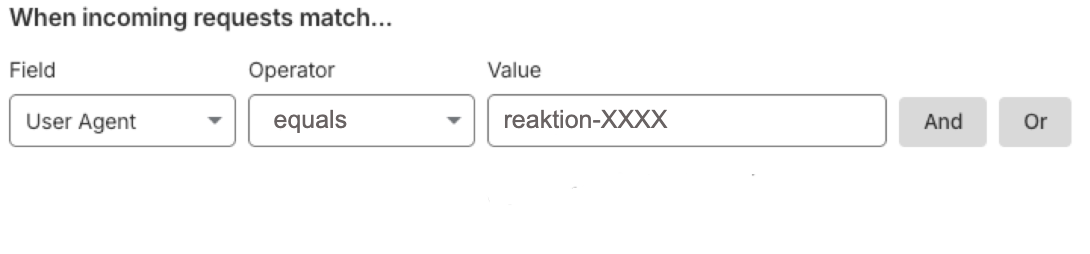
The rule should only match requests where the User-Agent exactly matches the Reaktion User-Agent value.
Step 4: Choose the Skip action
Under Then take action, select:
Skip
The Skip action allows matching requests to bypass selected Cloudflare security features that could otherwise block or challenge legitimate API requests.
Select the security features that may be blocking the WooCommerce API request. Depending on your Cloudflare configuration, these may include:
All managed rules
All rate limiting rules
All Super Bot Fight Mode rules
All remaining custom rules, if another custom rule could block the request
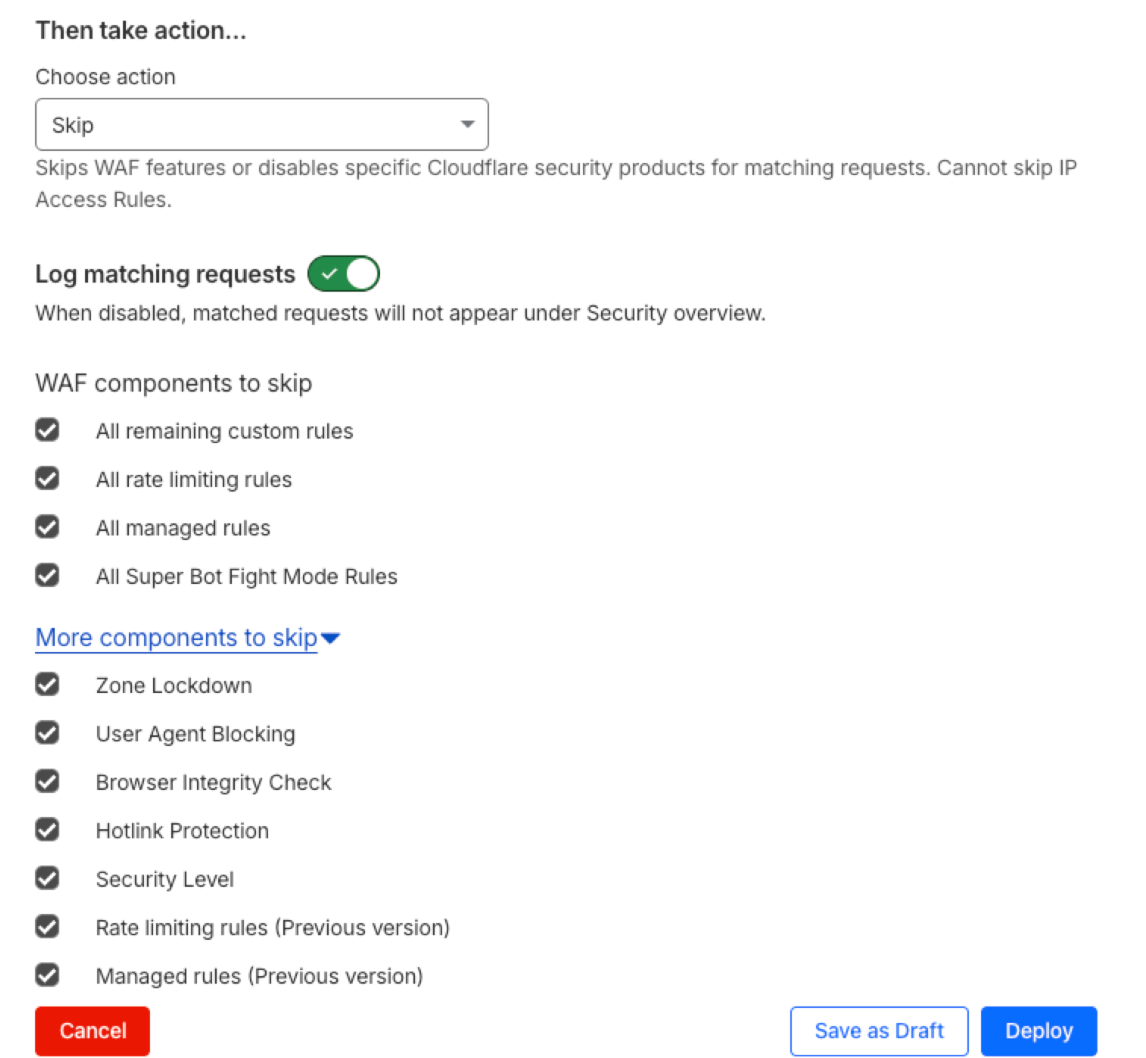
You do not necessarily need to skip every available feature. If you know which Cloudflare security feature is blocking the request, select only that feature.
Step 5: Deploy the rule
Click Deploy to activate the rule.
Your Cloudflare rule should now allow Reaktion's API requests to pass through the selected security checks.
Step 6: Connect WooCommerce to Reaktion
Return to your Reaktion account and continue connecting your WooCommerce store.
If Cloudflare previously blocked the connection, try reconnecting after deploying the rule.
Was this article helpful?
That’s Great!
Thank you for your feedback
Sorry! We couldn't be helpful
Thank you for your feedback
Feedback sent
We appreciate your effort and will try to fix the article