If you’re having trouble connecting your WooCommerce store through our standard authentication flow, where you’re redirected from Reaktion to WooCommerce to accept the integration and grant the required permissions, you can use a manually generated WooCommerce API key instead.
This can be useful if the standard authentication flow fails or you’re unable to complete the connection.
1. Generate a WooCommerce API key
Please follow the video guide below to learn how to generate the required Consumer Key and Consumer Secret:
Make sure the API key has Read/Write access.
2. Connect your WooCommerce store using the API key
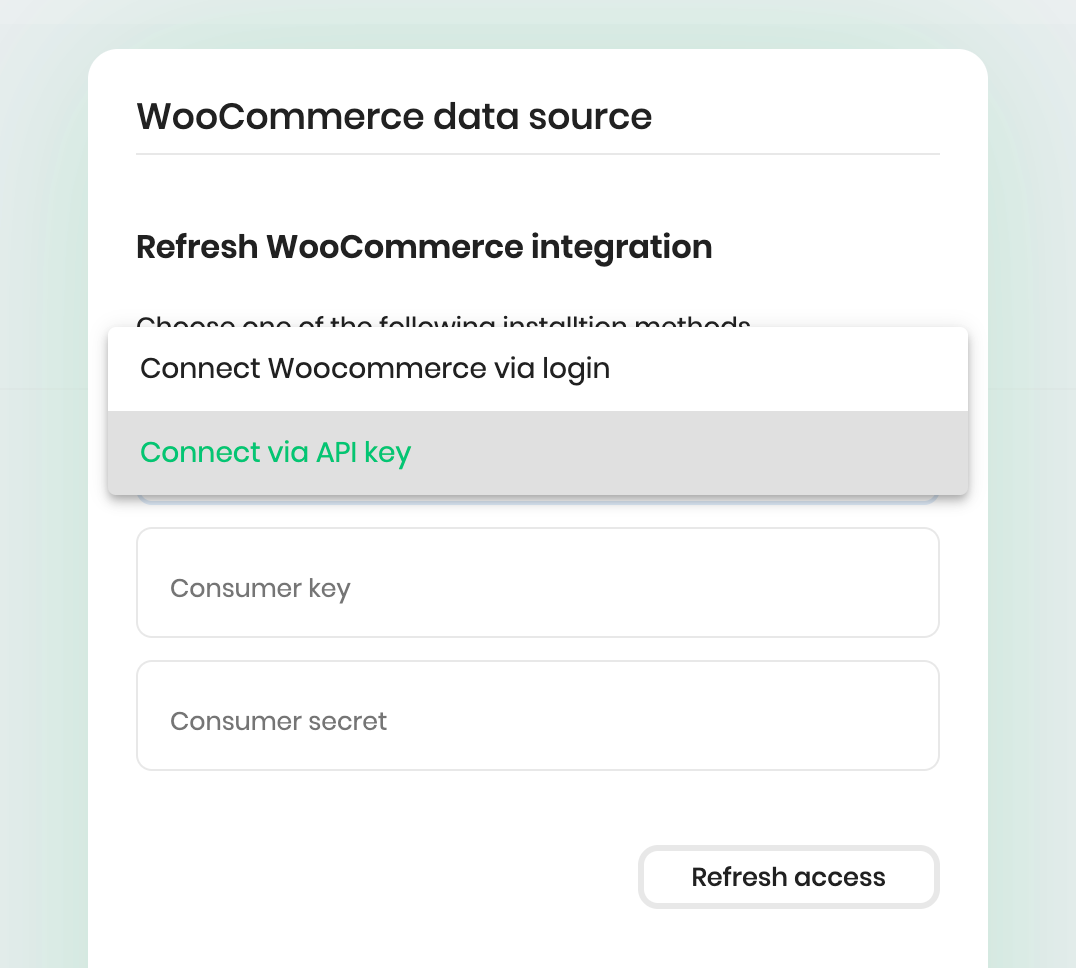
When creating or editing your WooCommerce data source in Reaktion, select Connect via API key.
Then, enter the Consumer Key and Consumer Secret into the corresponding fields. Then, click Connect or Refresh Access to complete the connection.
That should do the trick!
If you’re still experiencing issues with the integration after following these steps, please contact our support team at support@reaktion.com.
Was this article helpful?
That’s Great!
Thank you for your feedback
Sorry! We couldn't be helpful
Thank you for your feedback
Feedback sent
We appreciate your effort and will try to fix the article