Shopify:
There are two kinds of billing when you connect your Shopify store with Reaktion. You are either billed directly via Shopify or via Stripe. Depending on how you are billed, the cancellation process varies.
Shopify (billed directly via Shopify):
Go to admin.shopify.com
Step #1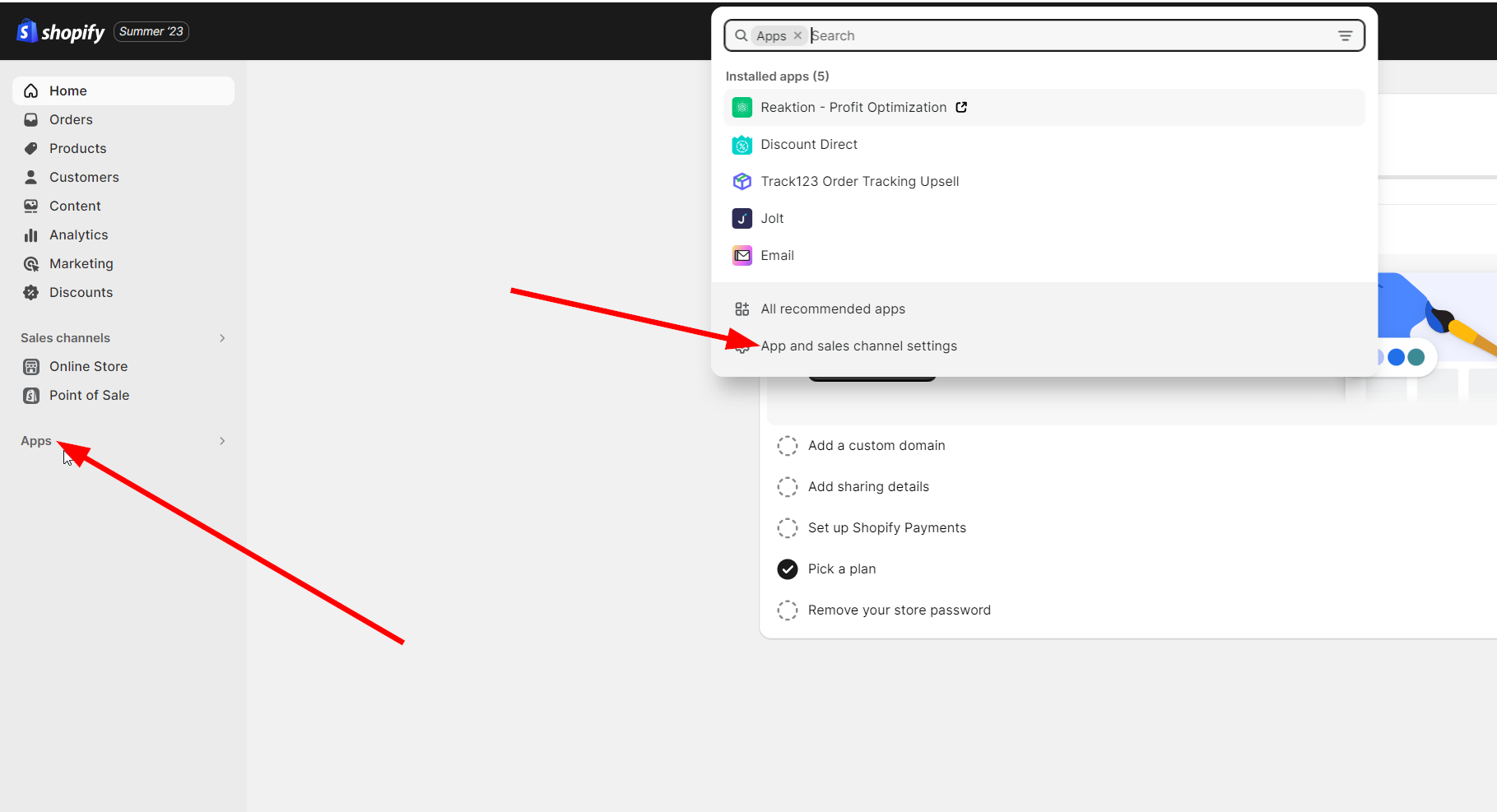 Step #2: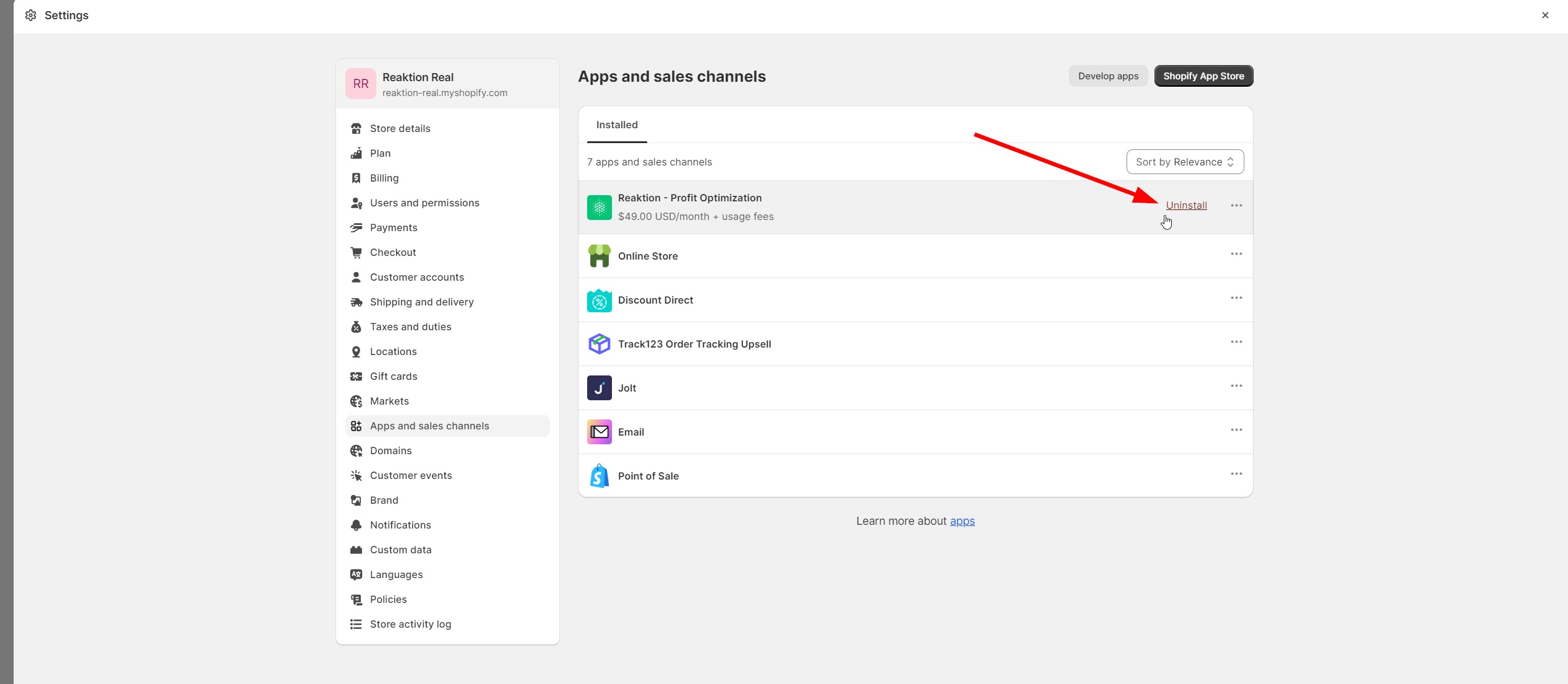
When the app is uninstalled, the subscription is automatically cancelled, and billing stops.
Reaktion tracking script in Shopify Settings → Customer Events can be deleted.
Shopify (billed via Stripe), WooCommerce, Magento, or any other e-commerce platform:
You can cancel your subscription by going to our Customer Portal here:
https://billing.stripe.com/p/login/5kA28qdGsbkecak6oo
1. Enter the email of the person who started the subscription.
2. Click "Cancel plan". 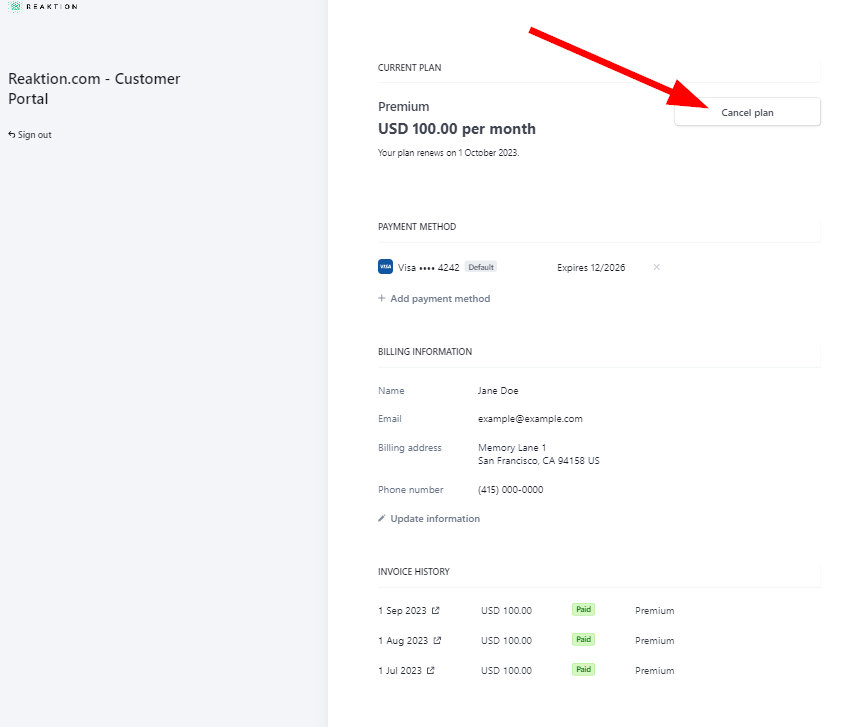
You can also remove any Reaktion scripts, extensions, or plugins from your store.
Was this article helpful?
That’s Great!
Thank you for your feedback
Sorry! We couldn't be helpful
Thank you for your feedback
Feedback sent
We appreciate your effort and will try to fix the article