When you install Reaktion and connect marketing channels like Google Ads or Meta Ads, after the first conversion, we automatically create multiple custom conversion events as secondary events. By default, these secondary events do not influence your existing tracking setup and campaign optimization.
Our combined browser and server-side tracking only sends data to Reaktion’s Custom Events, so your existing events such as Purchase are not affected. There is no risk of conversion duplication and no disruption to your active campaigns.
You can use these events to set up custom columns in the ad manager's campaign overview and report on them at the campaign, ad set, or ad levels. After 100 tracked conversions, you can also choose to start using selected events for campaign optimization. At the end of this article, you can find links to learn how to do this.
Reaktion tracking is built strictly for ecommerce and tracks multiple ecommerce-specific metrics that other tracking solutions don't support. That's why we use multiple events, each responsible for tracking a different performance metric.
Not all of Reaktion’s Custom Conversion Events are enabled by default.
To enable additional events, go to My Tracking Page → Conversion Events → Manage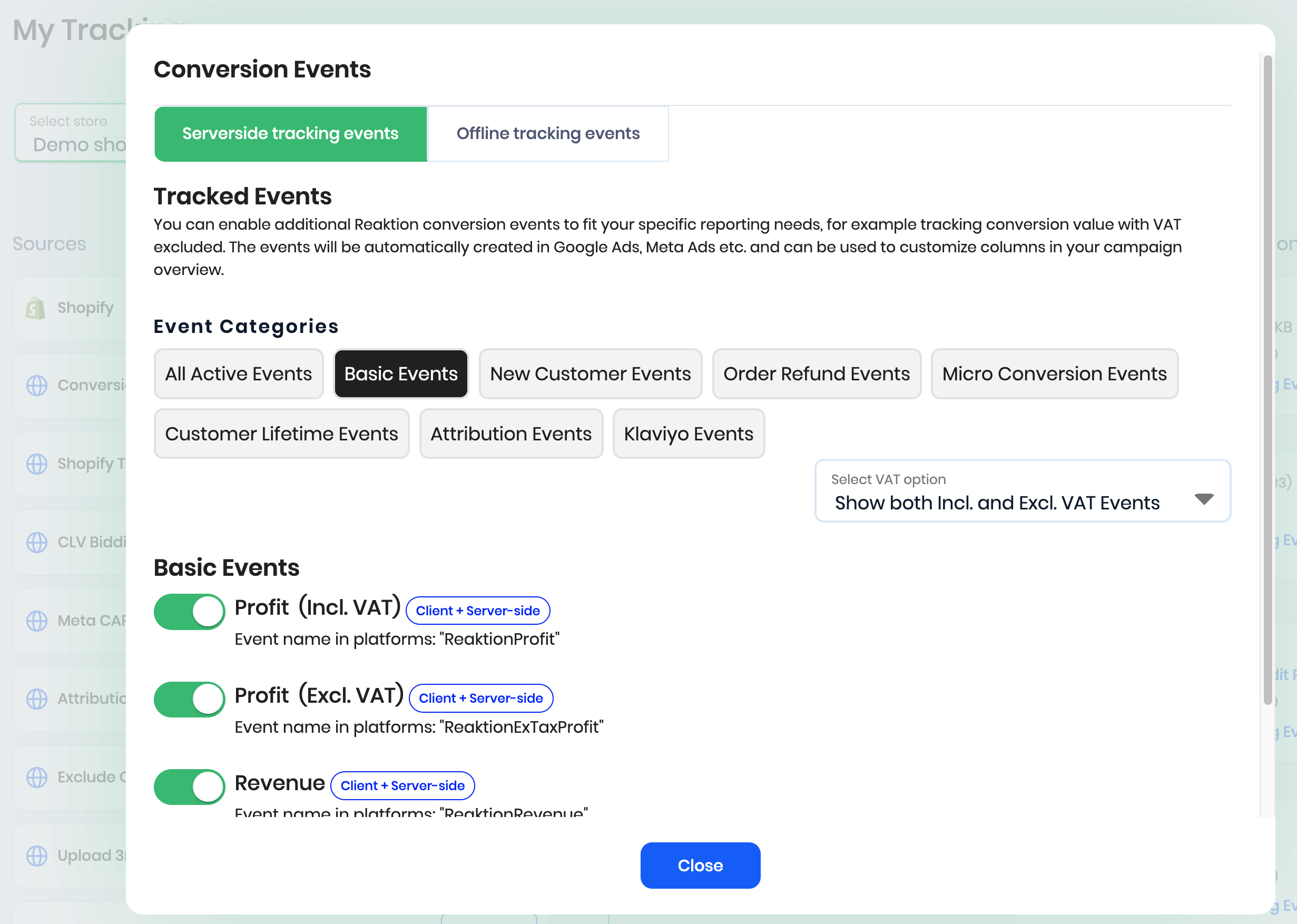
Let's dive into the available custom conversion tracking events in more detail:
ReaktionRevenue – tracks revenue generated from purchases (conversion value). It's the equivalent of a standard Purchase event.
ReaktionProfit – tracks profit generated from purchases. When your COGS and other costs are properly set up in Reaktion, we calculate profit from each conversion and export the values to the marketing channels. This allows you to measure POAS and optimize campaigns to maximize profits.
ReaktionNewCustomerRevenue – tracks revenue generated only from new customers (who never purchased from the store before). This metric allows you to precisely measure Customer Acquisition Cost of each of your campaigns or ads.
ReaktionNewCustomerProfit – tracks profit generated by new customers
ReaktionNewCustomerDiscountRevenue – tracks revenue generated by new customers only if they used a discount code.
ReaktionReturnedRevenue – tracks revenue lost from refunded orders.
ReaktionReturnedProfit – tracks profit lost from refunded orders.
ReaktionAfterRefundsRevenue – tracks revenue generated after accounting for refunds. Allows you to measure ROAS after refunds and exclude customers who generate refunds from campaign optimization.
ReaktionAfterRefundsProfits – tracks profit generated after accounting for refunds. Allows you to measure POAS after refunds.
ReaktionCLV — you can manually set an average customer lifetime value in Reaktion tracking settings. Each purchase will be exported to this event with the value you've set.
Note: By default, all the events track values including tax (VAT). However, most events also have their respective counterparts labeled Excl. VAT. The conversion value tracked by those events is reduced by VAT. You can enable them to get an even clearer picture of campaign performance and profitability.
Within the marketing platforms, they'll be visible as, for example, ReaktionExVatRevenue.
Most events also have their Attributed counterparts, like for example ReaktionAttributedRevenue.
The conversion values are exported to those events based on your Attribution settings in Reaktion.
For example, if you selected the Linear touch attribution model, and we tracked clicks from both Google Ads and Meta Ads leading to a conversion, the conversion value will be split evenly between the channels.
We recommend using Attributed events only for reporting and not for campaign optimization. Please keep in mind that view conversions are not trackable on order level (no click ID), so the full customer journey is often unknown.
Offline tracking events: Reaktion also supports an alternative tracking method based on Offline Conversion Import. We send the same tracking data (including all online conversions) to different conversion APIs in the marketing platforms, which are designed for offline conversion tracking.
How the platforms attribute conversions between the two APIs is a black box; however, some customers achieve better tracking performance using the Offline Conversion Import. If that's the case, you can rely on the Offline events for reporting and optimization, instead of our standard server-side events.
The events that are based on the Offline Conversion Import API are visible in the platforms as:
- ReaktionOfflineRevenue
- ReaktionOfflineProfit
- ReaktionOfflineNewCustomerRevenue
- ReaktionOfflineNewCustomerProfit
- ReaktionOfflineNewCustomerDiscountRevenue
- ReaktionOfflineReturnedRevenue
- ReaktionOfflineReturnedProfit
...
Reaktion also supports Micro Conversion events, such as:
- ReaktionMicroAddToCart
- ReaktionMicroInitiateCheckout
- ReaktionMicroAddPaymentInfo
- ReaktionMicroPageView
- ReaktionMicroProductView
- ReaktionMicroSearch
You can manually assign values to the Micro Conversions in Reaktion.
If your campaigns track fewer than 50 conversions per week, it's recommended to optimize campaigns for the ReaktionMicroAddToCart event. This way you can feed more data into the algorithm and accelerate learning.
Please check the articles below to learn how to use Reaktion custom conversion events to:
Was this article helpful?
That’s Great!
Thank you for your feedback
Sorry! We couldn't be helpful
Thank you for your feedback
Feedback sent
We appreciate your effort and will try to fix the article